
Foundation Settings
Applicable roles: Administrator
Prerequisites: Signed in with an administrator account
This guide covers three foundation settings: Organization Settings (branding), System Configuration (key-value parameters), and Data Dictionary (multilingual enums).
1. Organization Settings
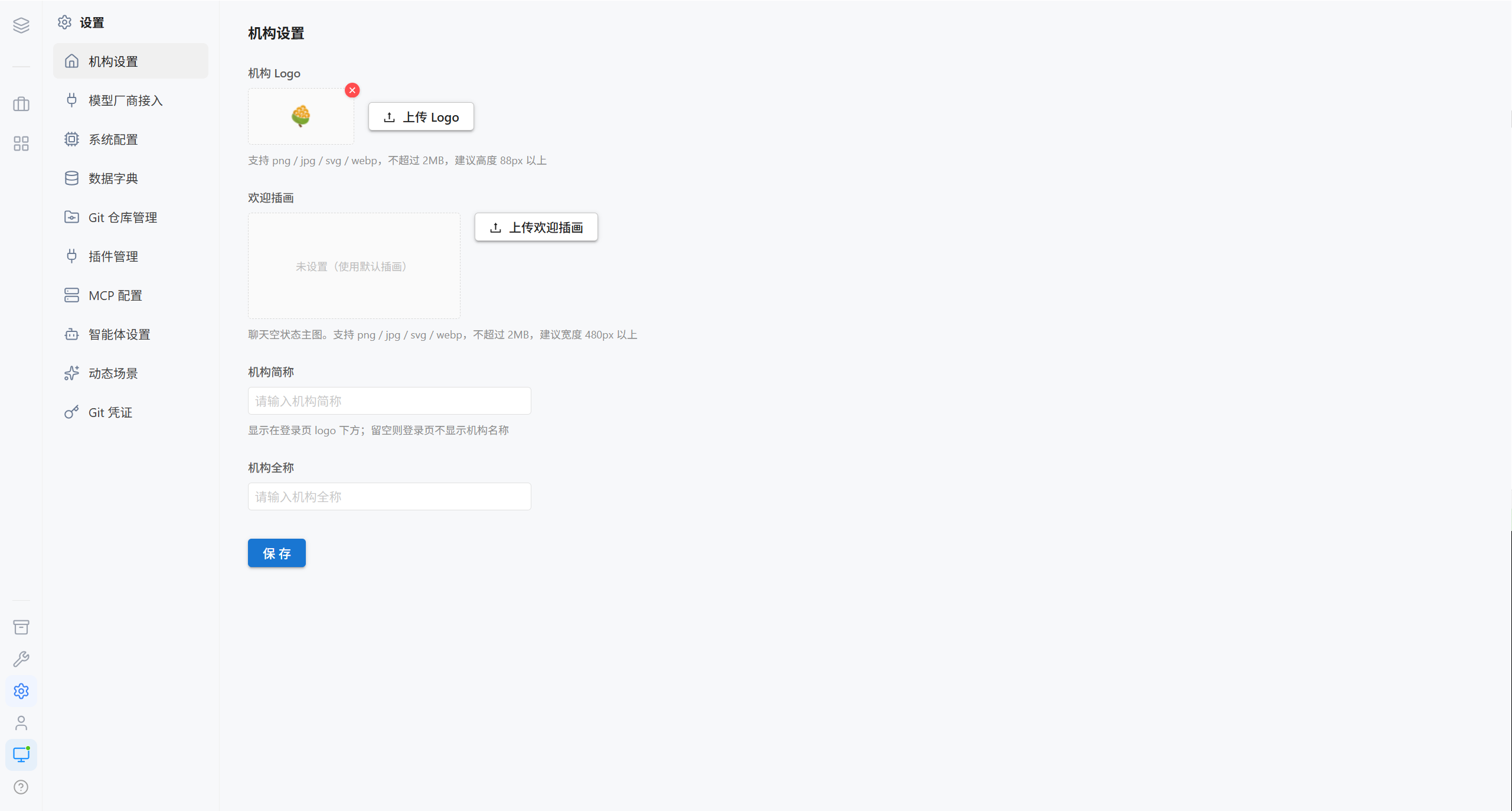
Organization settings determine the branding that all users see.
| Item | Description | Constraints |
|---|---|---|
| Organization Logo | Displayed in the top-left corner of the login page | png / jpg / svg / webp, ≤ 2MB, recommended height of 88px or more |
| Welcome Illustration | Main image in the empty state of the chat page | png / jpg / svg / webp, ≤ 2MB, recommended width of 480px or more |
| Organization Short Name | Displayed below the logo on the login page | If left blank, the organization name is not displayed on the login page |
| Organization Full Name | The complete organization name | — |
| Action | Effect |
|---|---|
| Upload / delete the logo | After deletion, the login page displays no logo |
| Upload / delete the welcome illustration | After deletion, the empty state of the chat page reverts to the default illustration |
Note · Organization settings are saved in the database and shared across nodes. A change made on any node takes effect on all nodes immediately.
Tip · The welcome illustration only affects the empty state of the chat page (the area shown when there are no conversations yet).
2. System Configuration
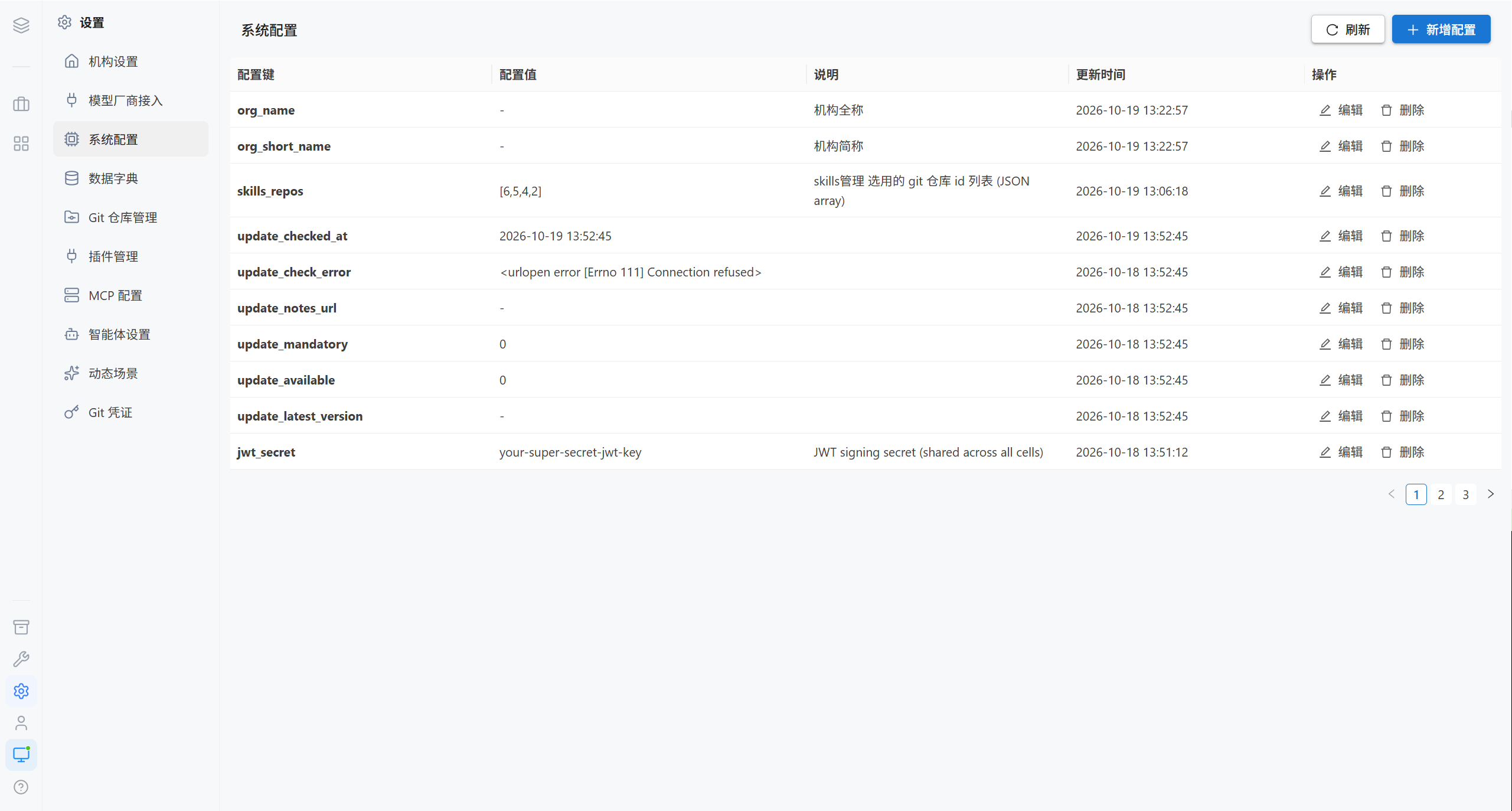
System configuration is a set of key-value pairs that administrators can add, edit, and delete.
| Column | Description |
|---|---|
| Configuration key | Unique identifier |
| Configuration value | The value |
| Description | Description of what it is used for |
| Update time | — |
2.1 Add a Configuration
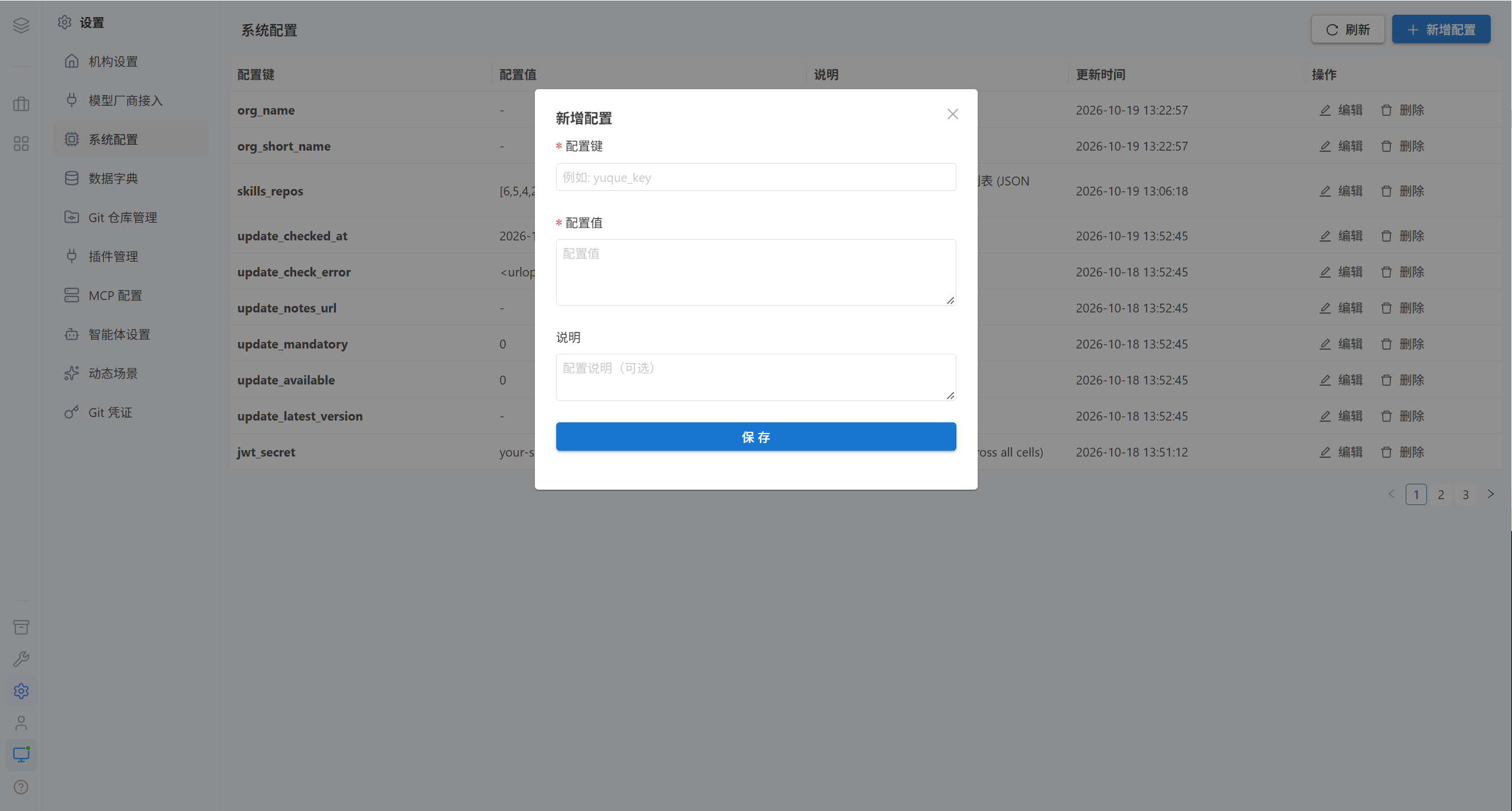
| Field | Required | Rules |
|---|---|---|
| Configuration key | ✅ | May contain only letters, digits, and underscores, e.g. yuque_key |
| Configuration value | ✅ | — |
| Description | ❌ | What the configuration is used for |
2.2 Edit and Delete
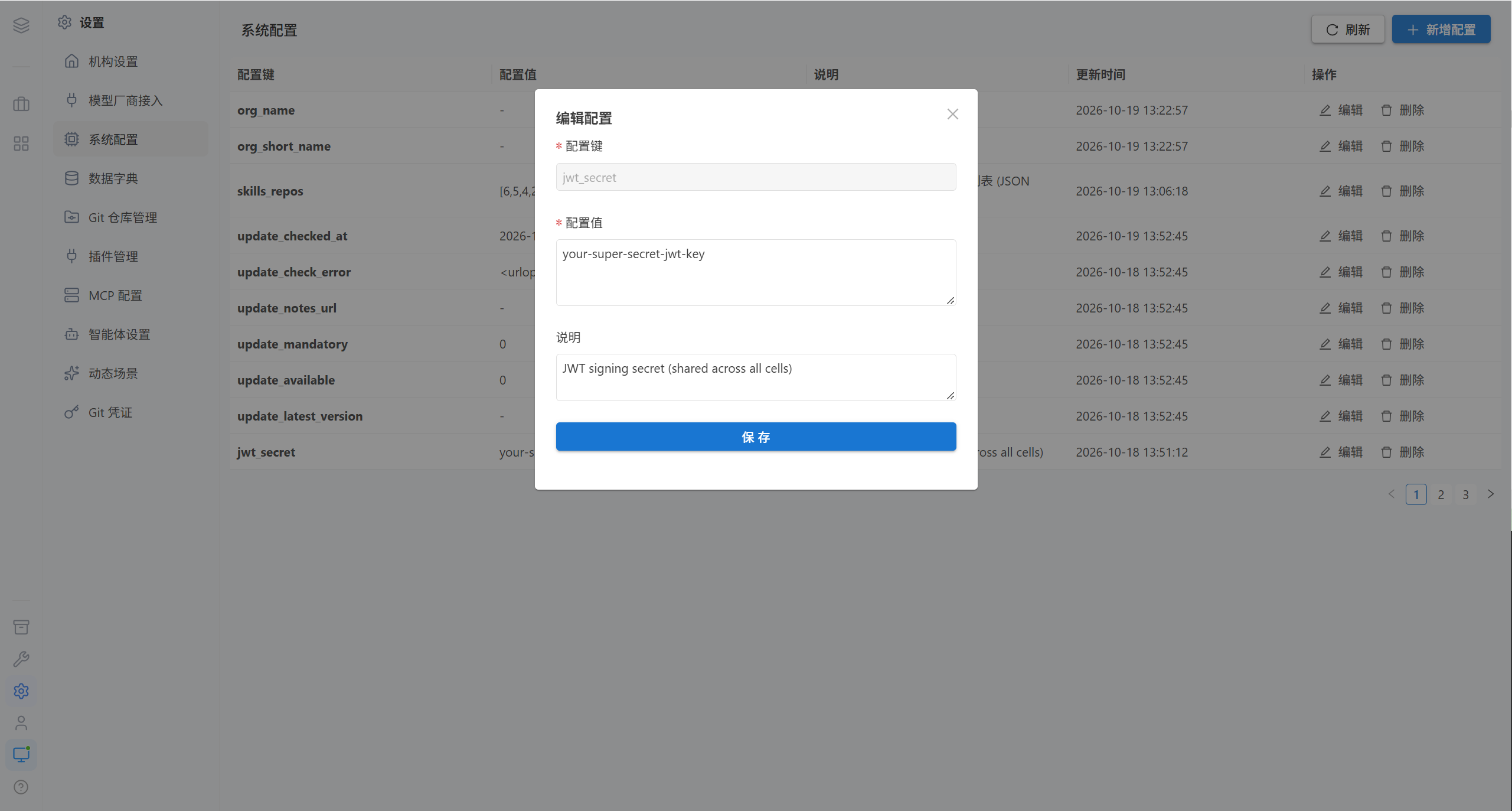
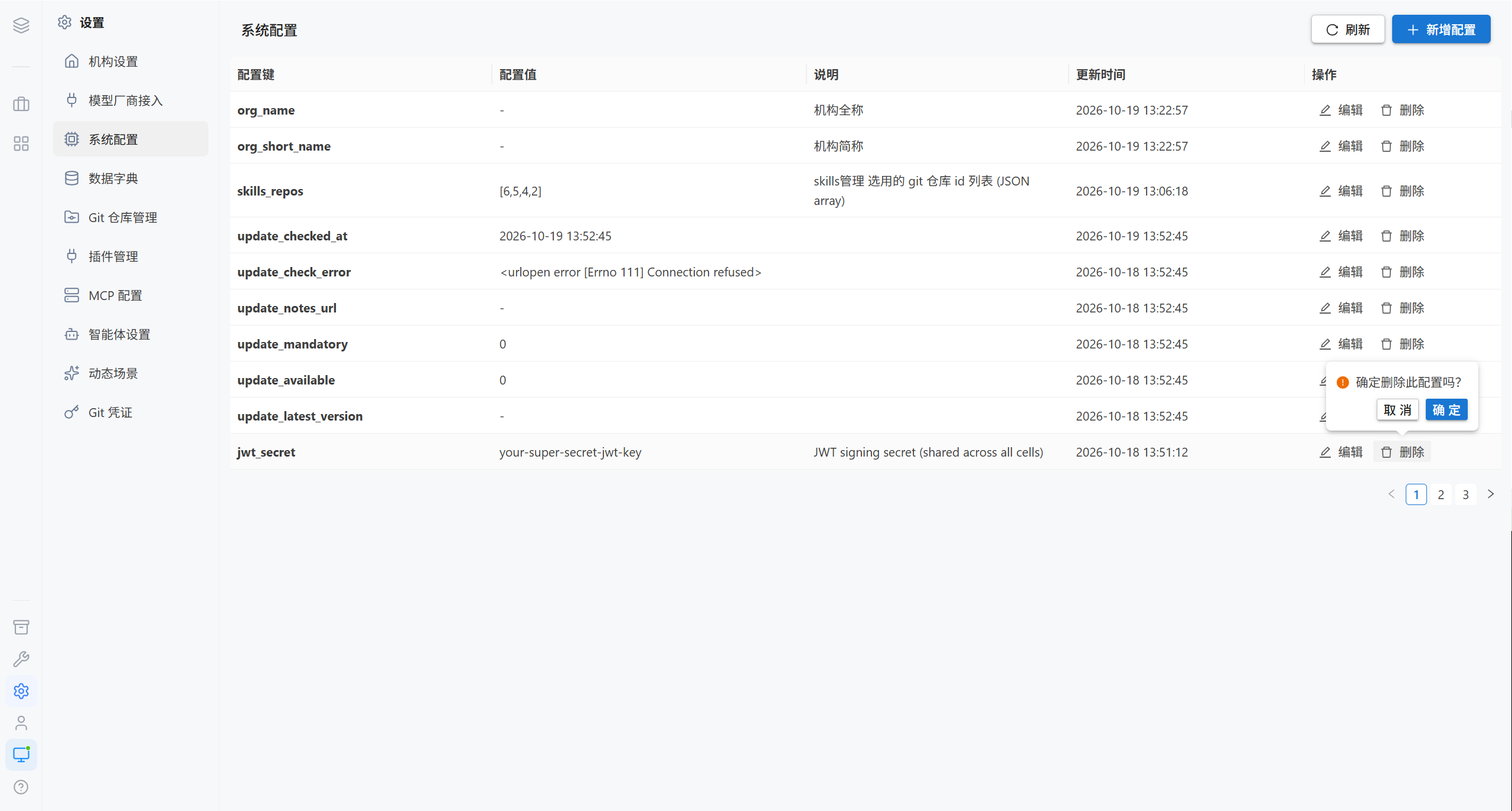
2.3 Built-in Configuration Items
The platform ships with the following configuration items. After modification they usually take effect automatically within 30 seconds, with no restart required.
| Configuration key | Default value | Purpose |
|---|---|---|
access_token_expire_minutes | 60 | Login token validity period (minutes) |
refresh_token_expire_days | 7 | Refresh token validity period (days) |
show_session_status | 1 | Whether to show the "Session Status" card on the account information page (1 show / 0 hide) |
ws_allowed_origins | empty | Extension of the WebSocket Origin allowlist |
public_base_url | empty | The public base URL as seen by the browser |
git_edit_max_file_size | 52428800 | Maximum size of a single file in bytes (50 MB), 0 means unlimited |
About ws_allowed_origins
Used to validate the Origin during the WebSocket handshake, preventing CSWSH (Cross-Site WebSocket Hijacking).
| Item | Description |
|---|---|
| Base allowlist | Platform domain + cell-*.openpartner.com + http://localhost + http://127.0.0.1 |
| Extension format | Comma-separated, supports scheme://host[:port] and *.example.com wildcard subdomains |
| Example | http://220.112.1.148,http://10.10.6.124,https://*.my-company.com |
| Time to take effect | Automatically effective within 30 seconds |
Note · When the platform is deployed on an intranet and the frontend is accessed via an intranet IP, that address must be added to the extended allowlist, otherwise the WebSocket cannot connect and the symptom is "AI agent service connection dropped, reconnecting".
About public_base_url
Used to build the URL prefix for the images returned by AI image generation.
| Scenario | What to enter |
|---|---|
| Users access the platform from a public address | Enter the public address, e.g. http://220.112.1.148:22053 |
| Access only from the local machine or the intranet | May be left blank; falls back to the node's own cell_url |
Note · This value is not the same thing as the "frontend → backend URL" in Node Management; do not confuse the two.
3. Data Dictionary
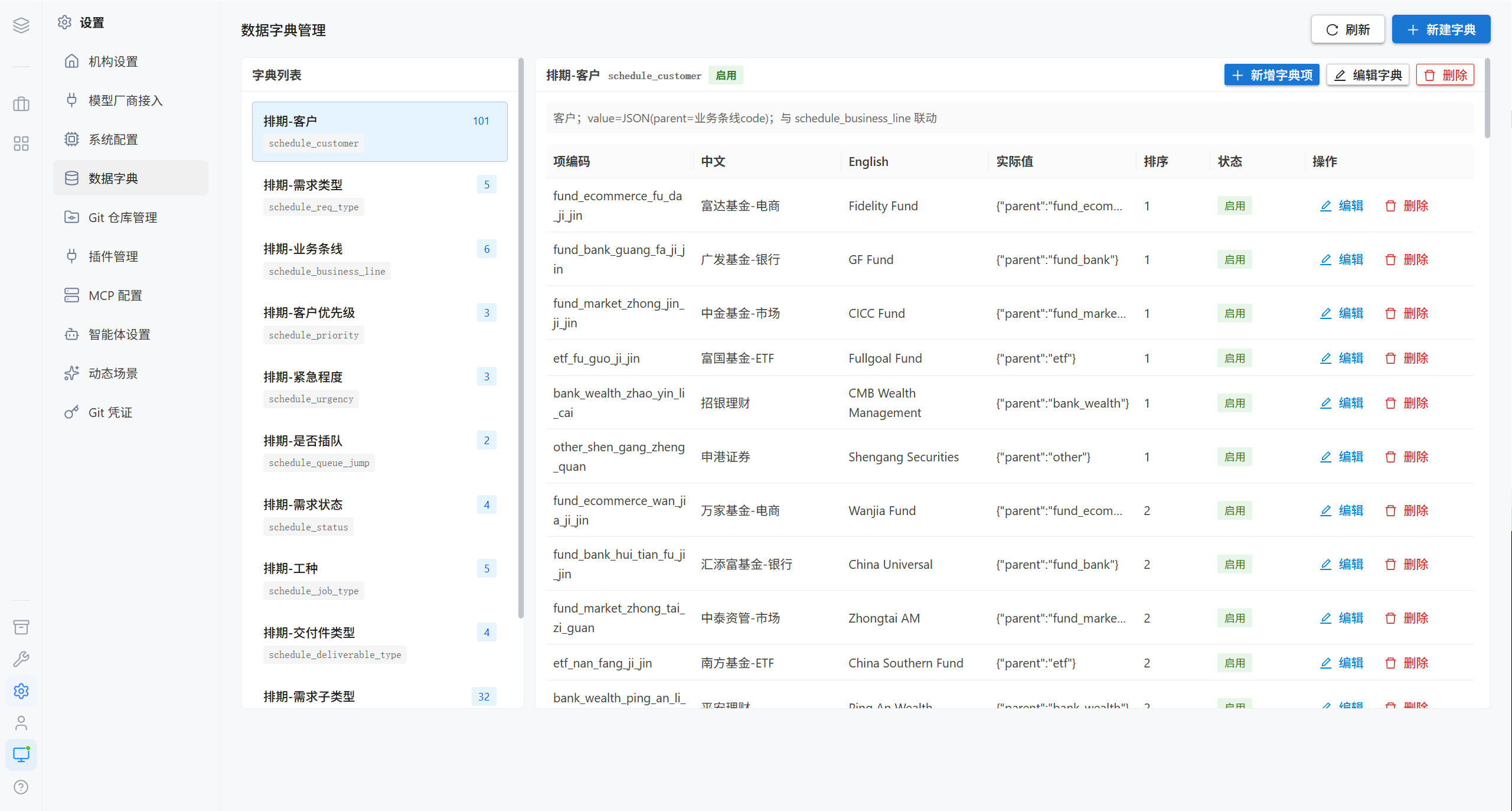
The data dictionary maintains enum values and their multilingual display names, read by extension applications and the frontend.
The structure has two layers:
| Layer | Description |
|---|---|
| Dictionary type | A collection of related enum values, e.g. "User Status" or "Job Type" |
| Dictionary item | A specific entry under a type, e.g. "Active", "Copywriting", or "Design" |
| Area | Contents |
|---|---|
| Left: dictionary list | All dictionary types, including name, identifier, description, status, and item count |
| Right: dictionary details | The list of dictionary items under the currently selected type |
3.1 Create a Dictionary
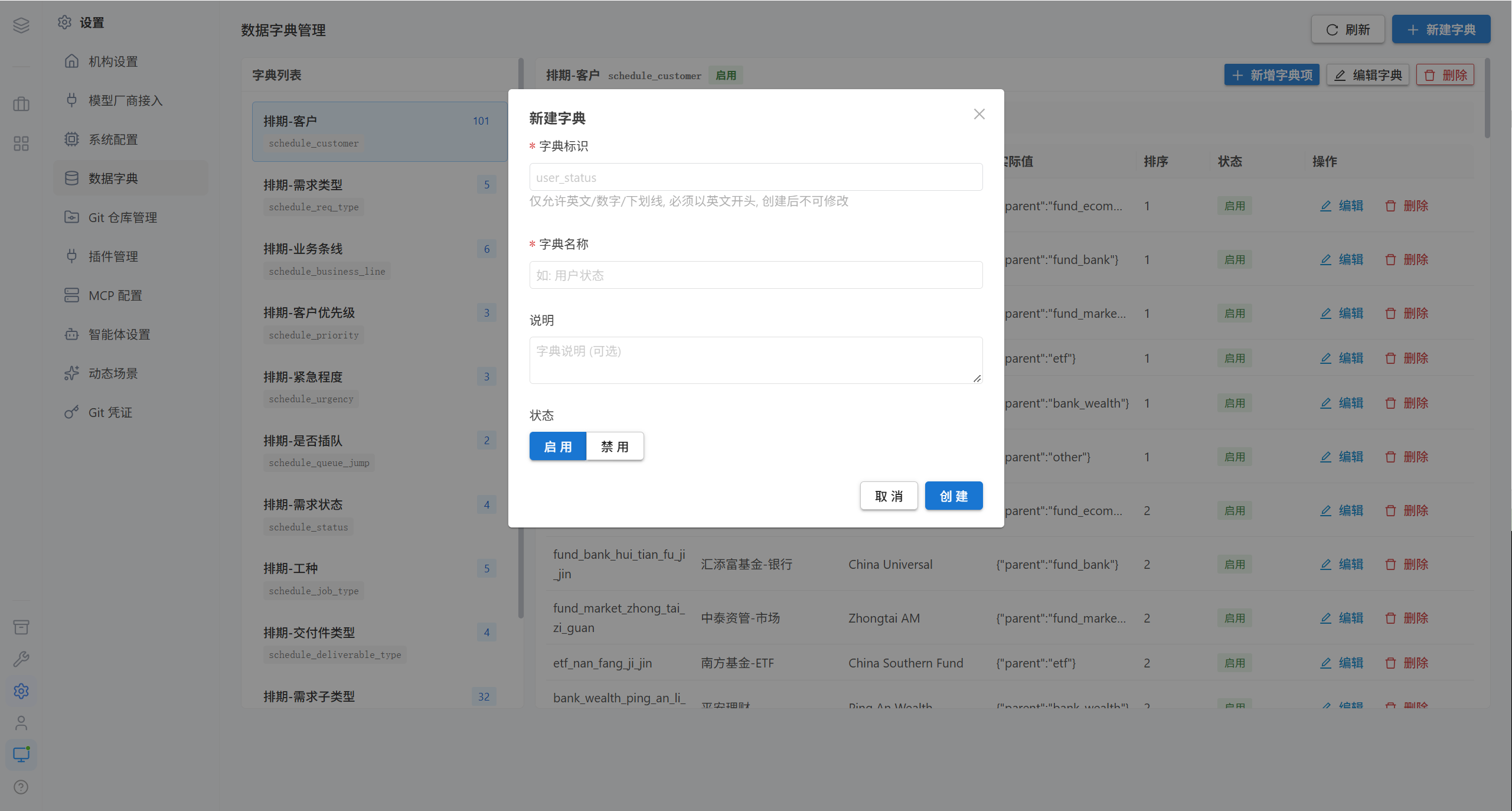
| Field | Required | Rules |
|---|---|---|
| Dictionary name | ✅ | e.g. "User Status" |
| Dictionary identifier | ✅ | Only English letters / digits / underscores, and must start with a letter. Cannot be modified after creation |
| Description | ❌ | — |
| Status | — | Enabled / Disabled |
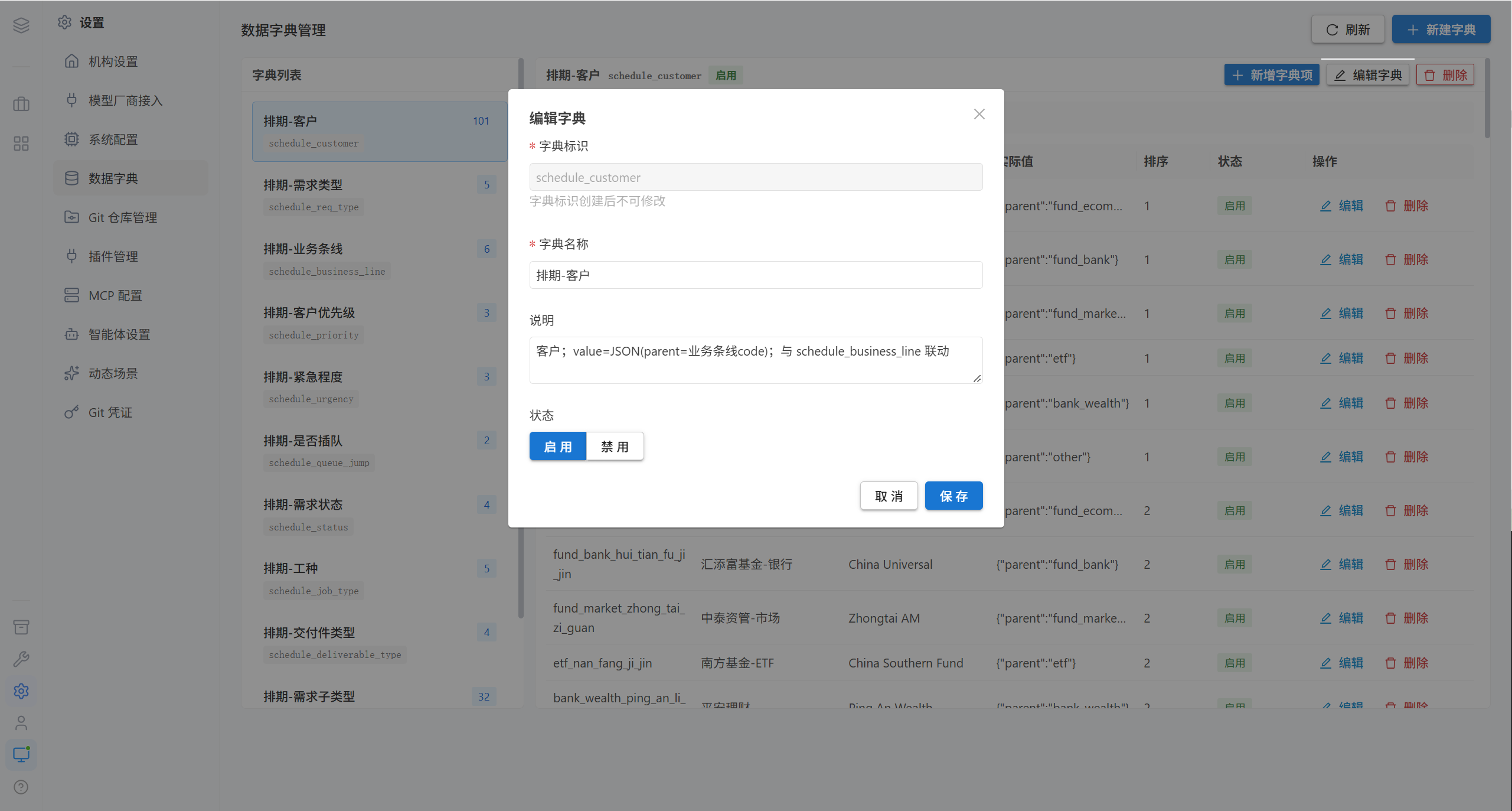
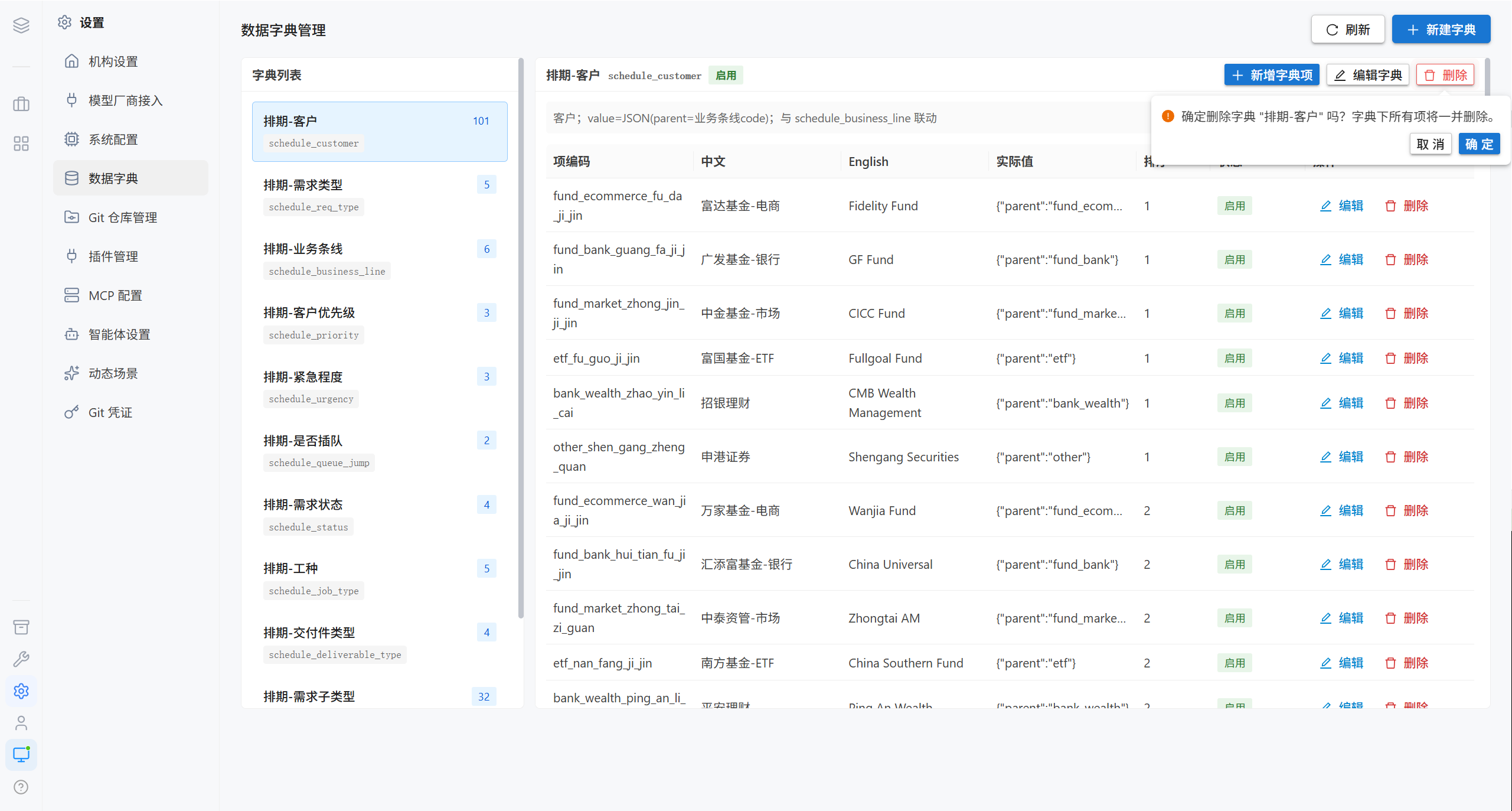
Note · Deleting a dictionary also deletes all of the dictionary items under it, and this cannot be undone.
3.2 Dictionary Items
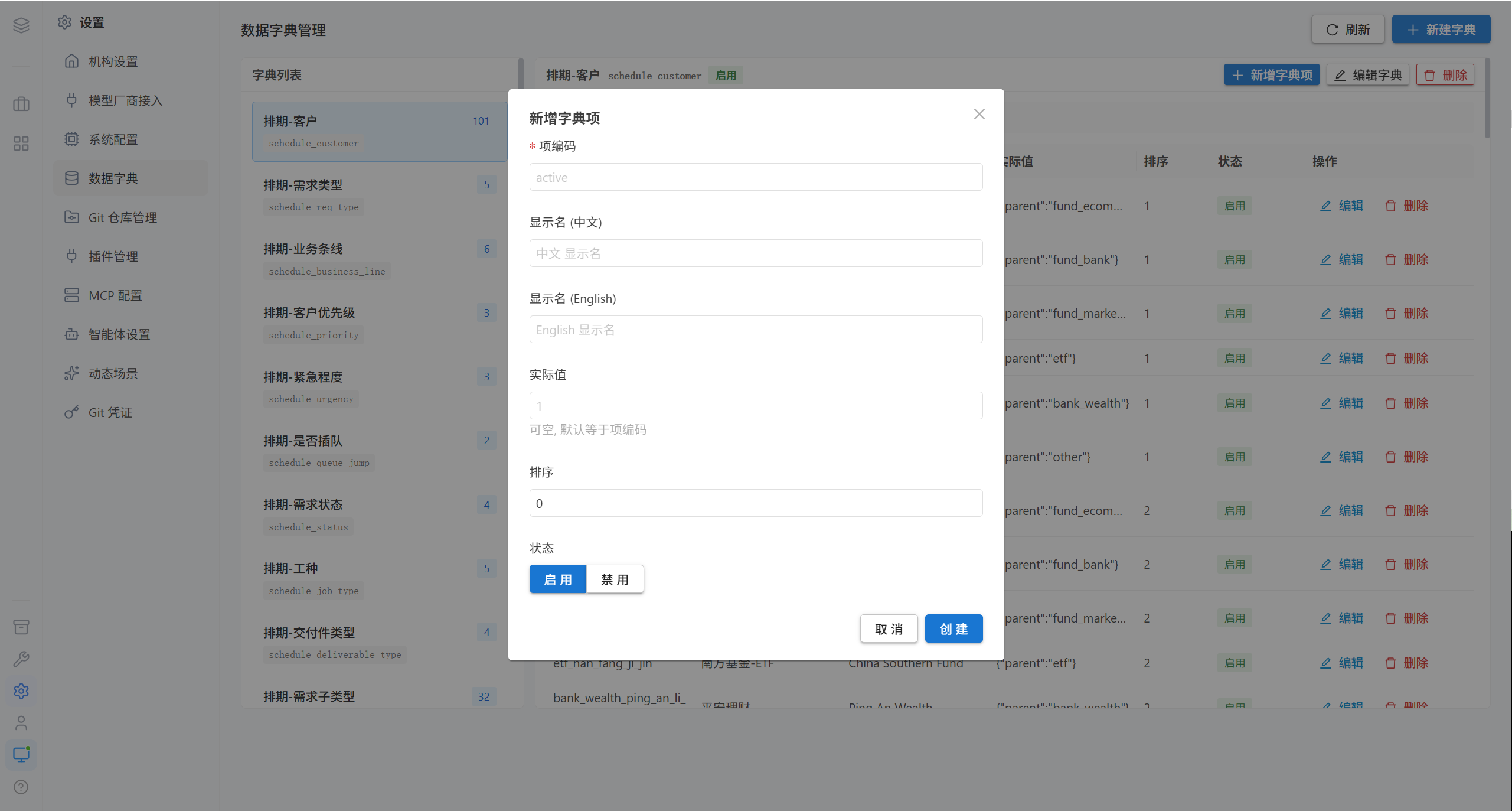
| Field | Required | Description |
|---|---|---|
| Item code | ✅ | Unique identifier |
| Display name (Chinese) | At least one | The text displayed in the interface |
| Display name (English) | At least one | e.g. Active |
| Display name (other languages) | ❌ | Optional, added per language |
| Actual value | ❌ | If left blank, it defaults to the item code |
| Sort order | ❌ | Smaller numbers come first |
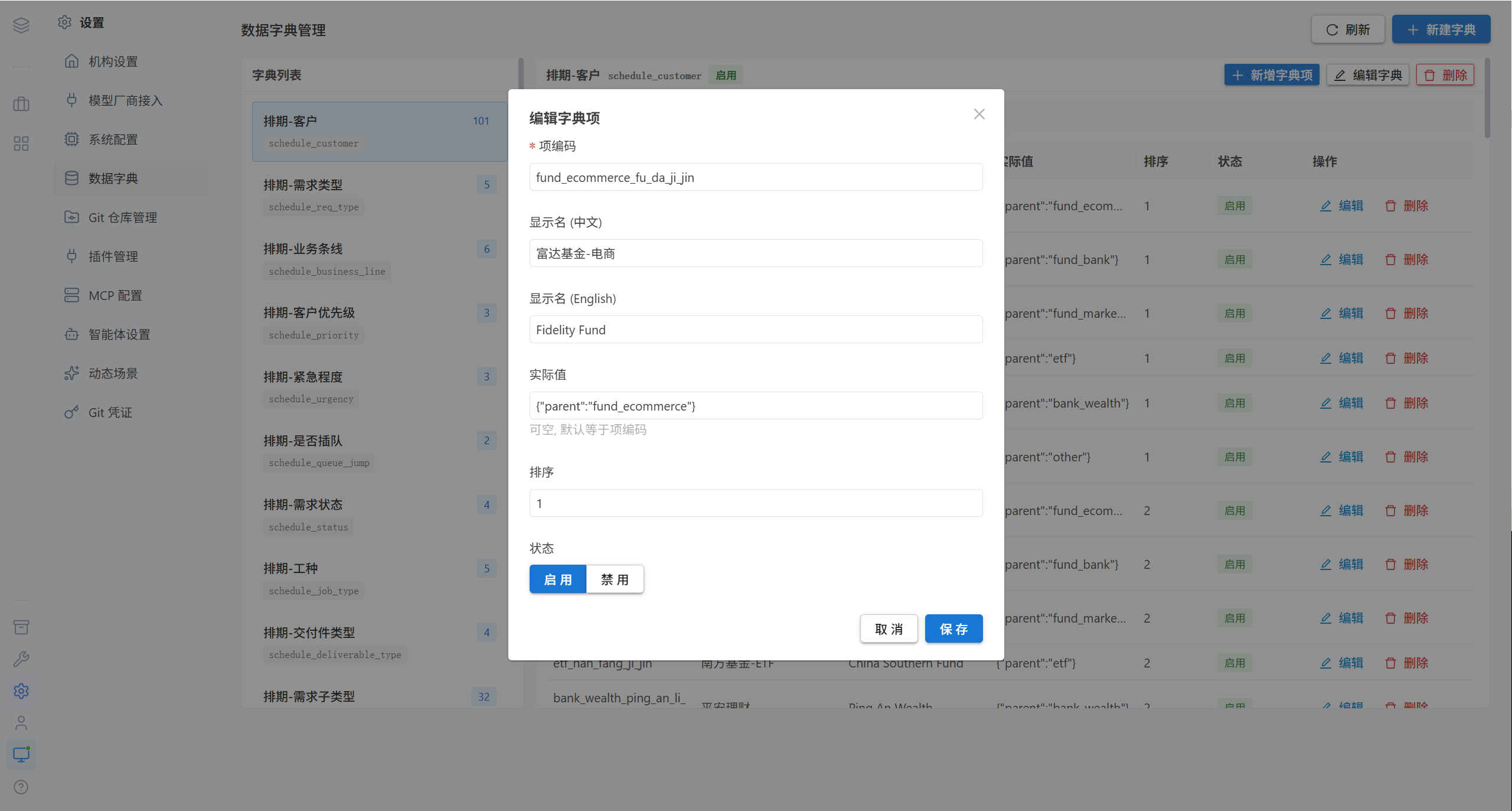
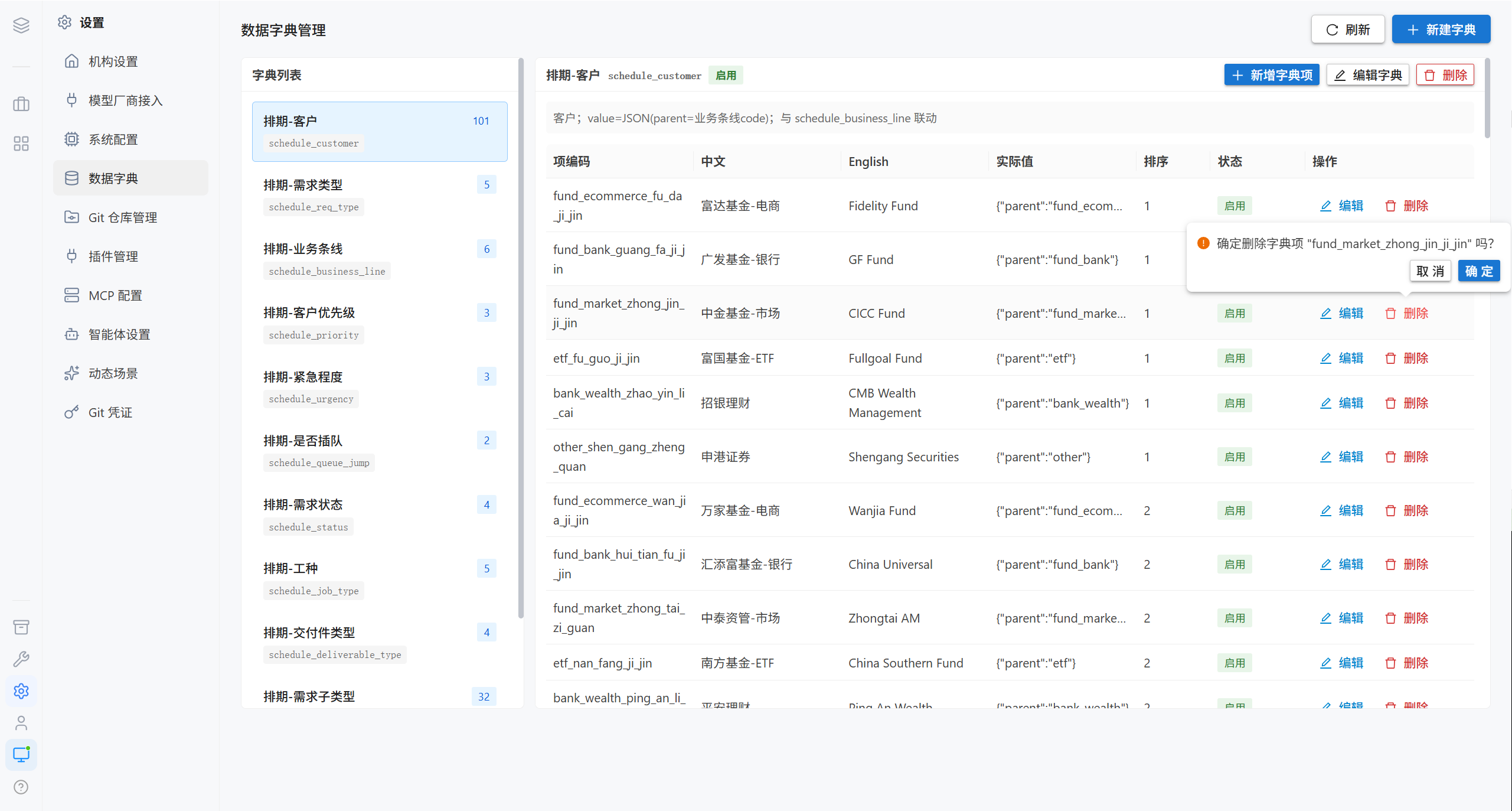
Tip · The "display name" and the "actual value" of a dictionary item may differ: the display name is for people, while the actual value is for programs.
4. FAQ
| Symptom | Cause | Resolution |
|---|---|---|
| There is no organization name on the login page | The organization short name was left blank | Fill it in under Organization Settings |
| The empty state of the chat page shows the default illustration | No welcome illustration was uploaded | Upload a custom illustration |
| The WebSocket keeps reconnecting | ws_allowed_origins does not include the address actually used to access the site | Add it to the extended allowlist |
| Images from image generation will not open in the browser | public_base_url is not configured | Enter the public access address |
| A configuration change does not take effect | Some changes have a cache delay | Wait about 30 seconds; if it still does not work, check whether the configuration key is misspelled |
| The dictionary identifier cannot be changed | By design, it cannot be modified after creation | Create a new dictionary if a change is needed |
| The data is gone after the dictionary was deleted | Dictionary items are deleted together with the type | Confirm before deleting |
5. Related Pages
| Page | Contents |
|---|---|
| Model Provider Access | The highest-priority configuration of the platform |
| Integration Settings | Git repositories and credentials |
| Nodes & Upgrades | The difference between public_base_url and the node URL |