
Nodes & Upgrades
Applicable roles: Administrators
Prerequisites: The node has been registered on the network; see Multi-Node Deployment
A node (cell) = one server + one backend process + local Docker + one local disk. All three must be on the same physical machine.
1. Node List
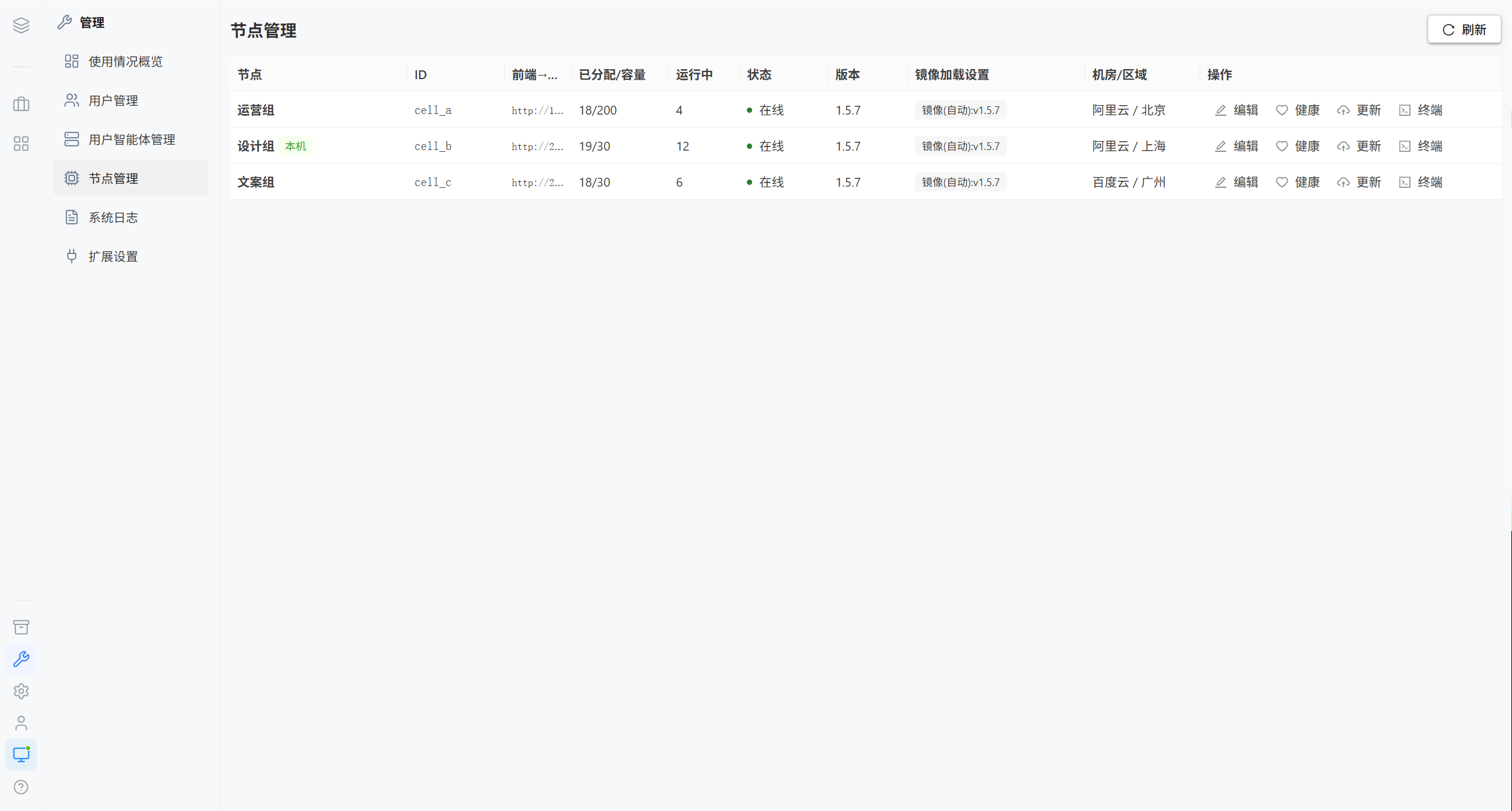
| Column | Description |
|---|---|
| Node | Display name and node ID |
| Status | Online / Offline / Draining |
| Running containers | The number of containers currently running on that node, self-reported by the node every 60 seconds |
| Frontend → backend URL | The address the browser-side container uses to reach the backend of this node |
| Image loading settings | Which image version is used when containers are started |
| Actions | Edit, health, terminal, update |
Note · "Running containers" is self-reported. When a node is offline, this number stops updating; that is normal and does not mean the containers are still running.
1.1 Edit a Node
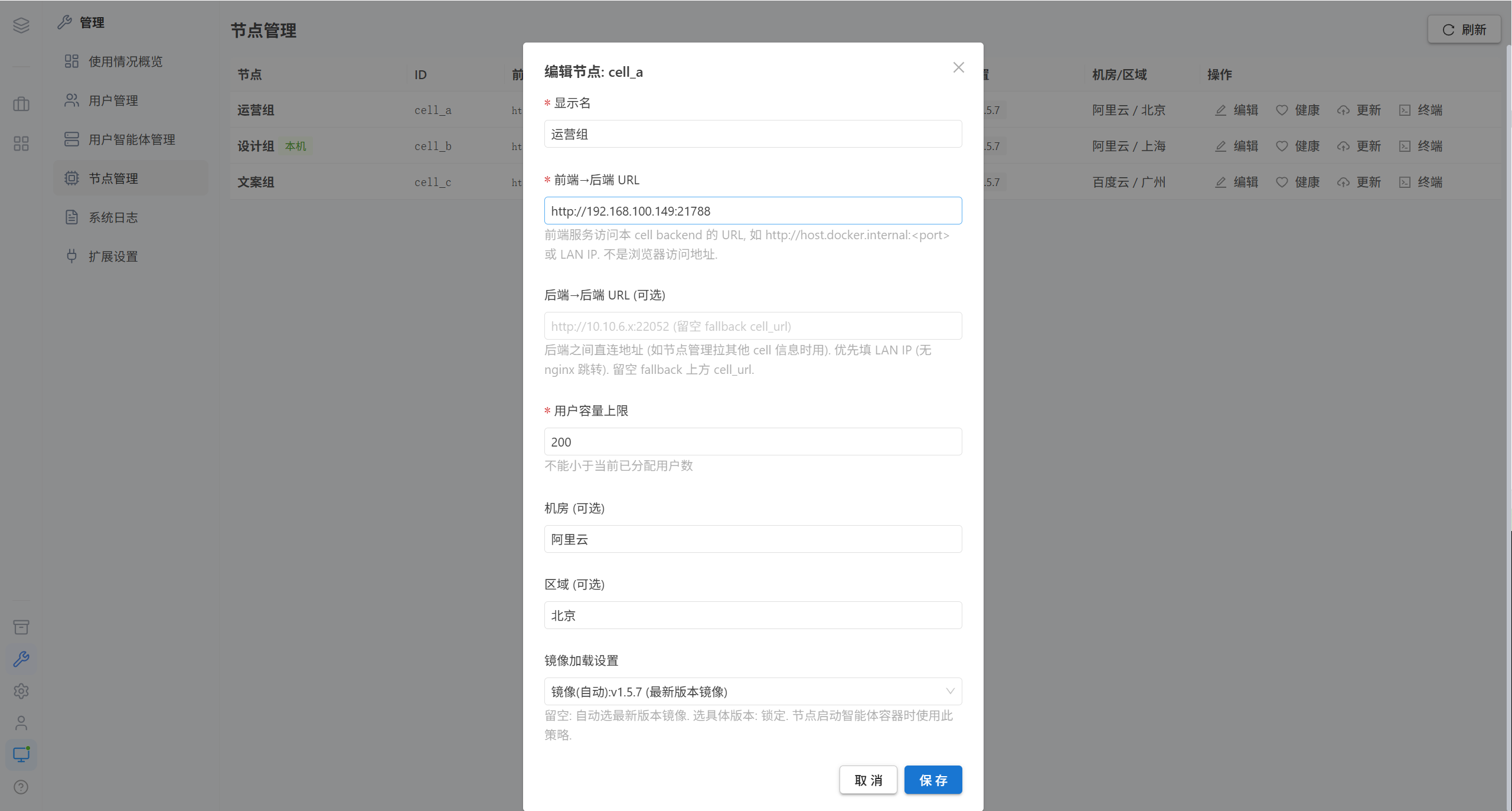
| Field | Required | Description |
|---|---|---|
| Display name | ✅ | For example "Main Building Server Room 1" |
| Frontend → backend URL | ✅ | The address for the frontend container to reach the backend of this node, for example http://host.docker.internal:22052 or an intranet IP. Not the address used by the browser |
| Backend → backend URL | ❌ | The direct address between nodes, for example http://10.10.6.x:22052. If left blank, it falls back to the frontend → backend URL |
Note · These two URLs are very easy to confuse:
- Frontend → backend URL means "from the frontend container where the browser is running, find the backend" → use an address reachable from the host machine
- Backend → backend URL means "from the backend of another node, connect directly to the backend of this node" → prefer an intranet IP to avoid an nginx redirect
Entering the wrong one causes routing failures after login and failed health checks between nodes.
1.2 Health Check
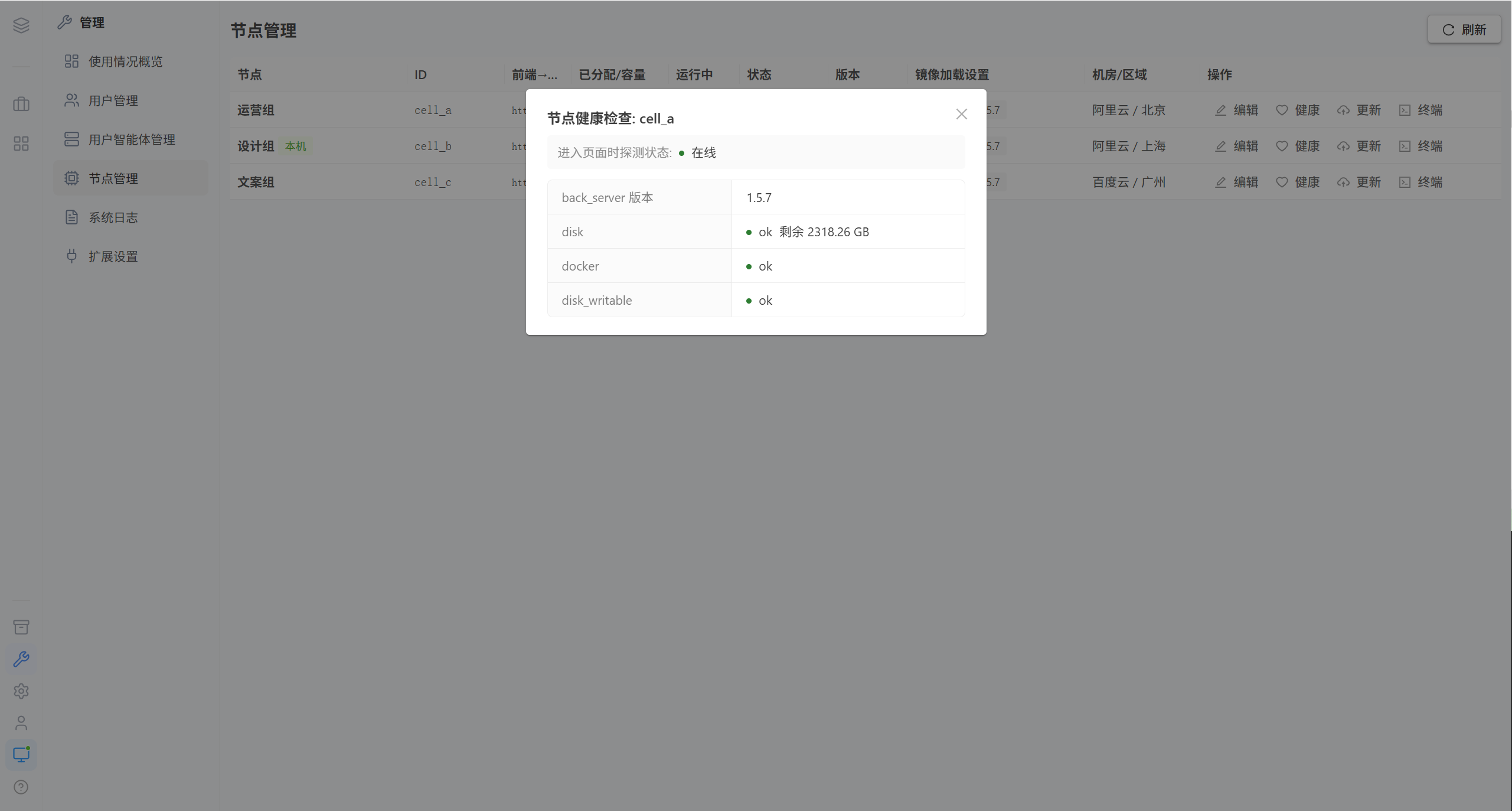
| Check item | Verdict |
|---|---|
| Disk space | Available space versus the threshold |
| Docker daemon | Connection status and version |
| Disk writability | Whether it is writable |
Tip · When a node is offline, the "Health" button is unavailable, and the platform reports "Node unreachable, unable to view health".
1.3 Node Terminal
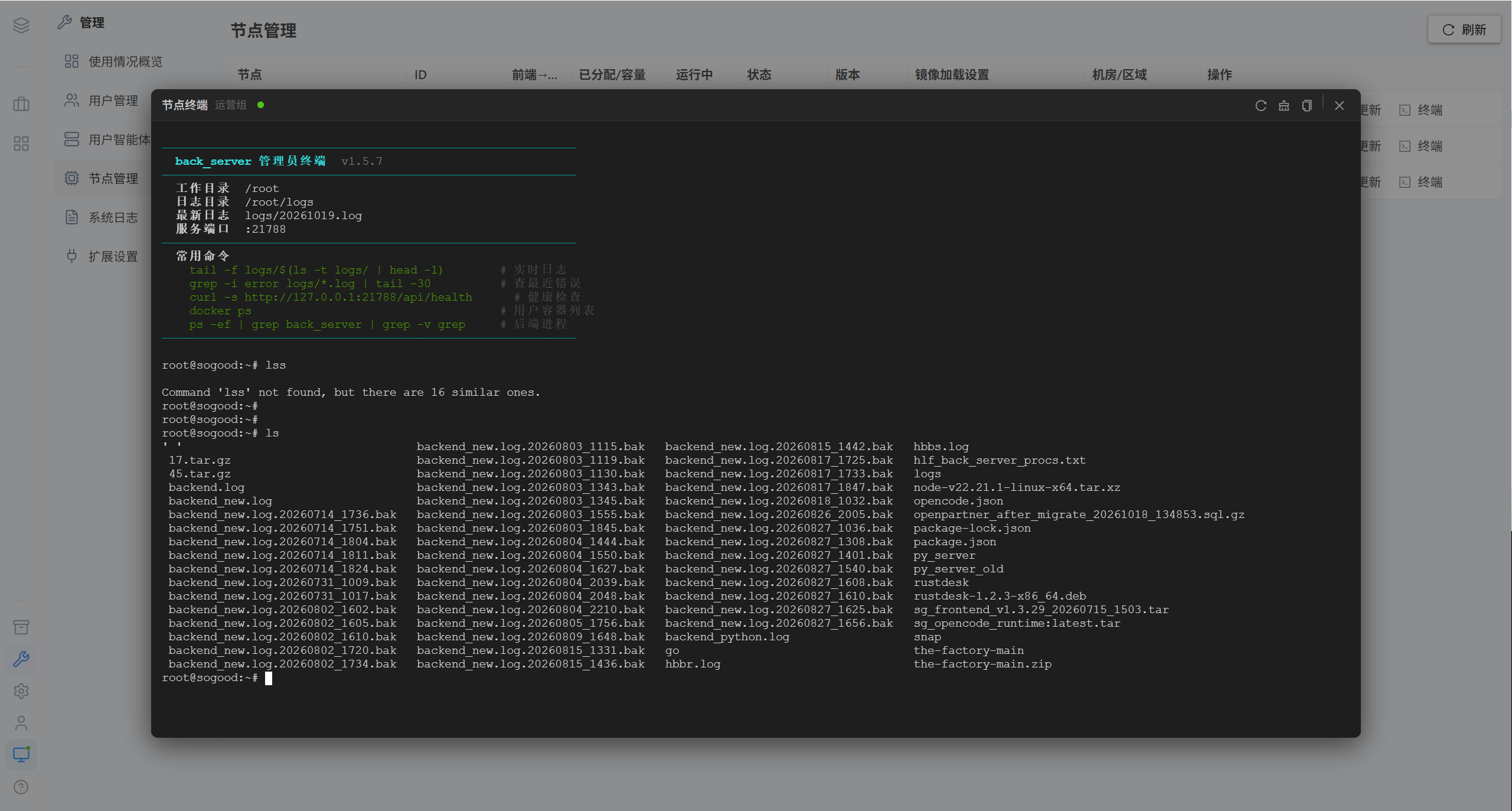
Opens the backend process environment of that node, used to troubleshoot node-level issues.
2. Image Loading Strategy
This strategy determines which version of the AI agent image is used when this node starts user containers.
| Strategy | Behavior | Applies to |
|---|---|---|
| Image (automatic) | Always uses the latest image version | Regular environments. Recommended |
| Image (locked) | Always uses the specified version | Production environments that need version consistency and want to avoid automatic changes |
| Label | Meaning |
|---|---|
| Image(auto):v1.5.3 | Automatic mode, the version currently resolved |
| Image(auto):probing… | Probing the images available on the Docker of this node |
| Image(locked):v1.5.2 | Locked to the specified version |
Note · Switching the strategy does not affect the running containers; it applies only to newly started containers.
2.1 When the Image Cannot Be Found
| Message | Cause | Resolution |
|---|---|---|
| Image not found | That tag does not exist on the host of this node | Go to "Update → AI Agent Image" to download and load it |
| docker is unreachable | The Docker daemon is not running | Check the Docker service on the node |
| Probing failed | The image format is abnormal | Download that version again |
3. Upgrading This Node
Click the "Update" or "Auto Update" button on the node row to open the upgrade dialog.
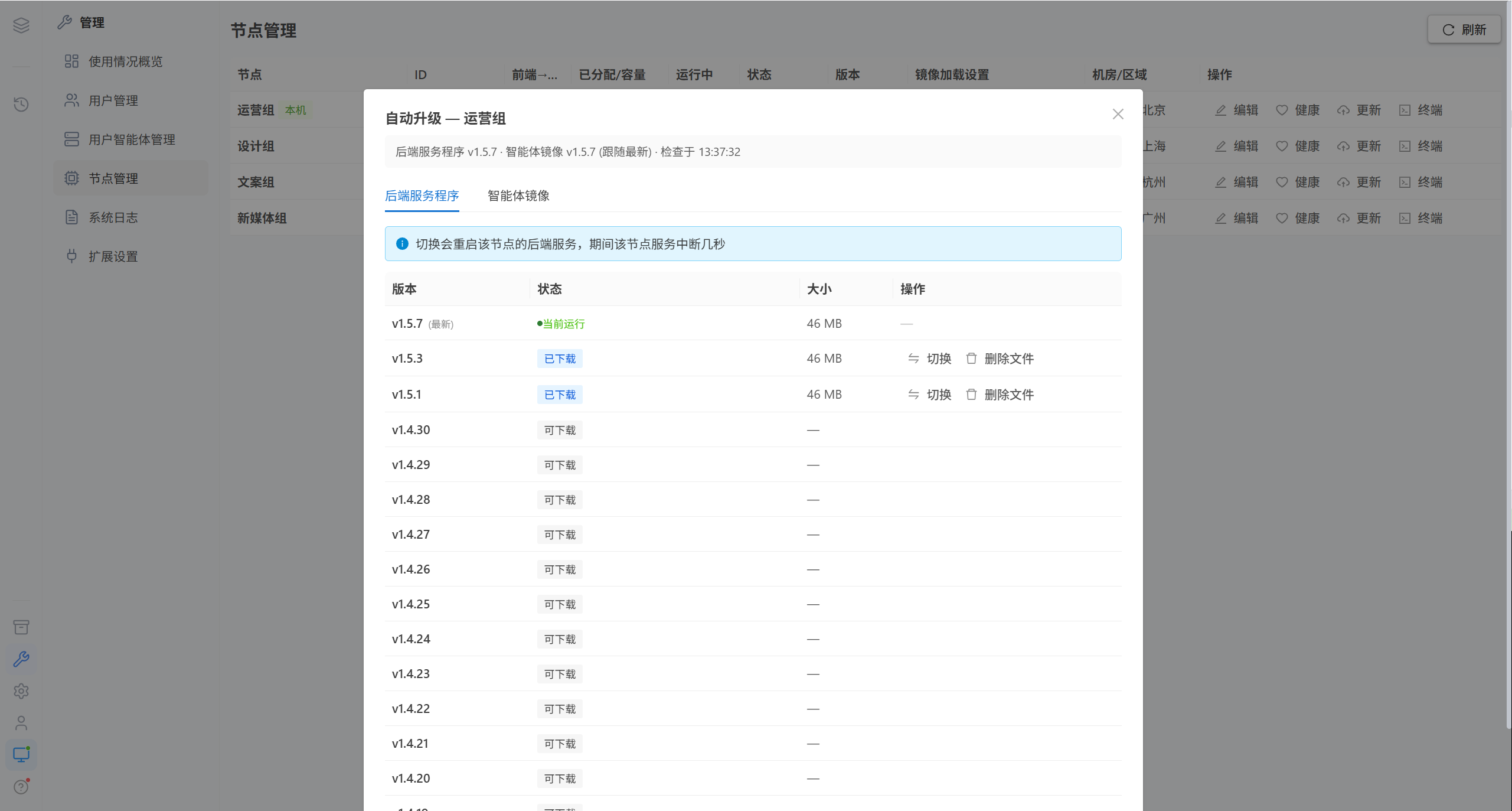
The dialog has two tabs:
| Tab | Content |
|---|---|
| Backend service program | Upgrades the FastAPI backend service on the node |
| AI agent image | Upgrades the opencode runtime image used by user containers |
3.1 Upgrade the Backend Service Program
Switch versions
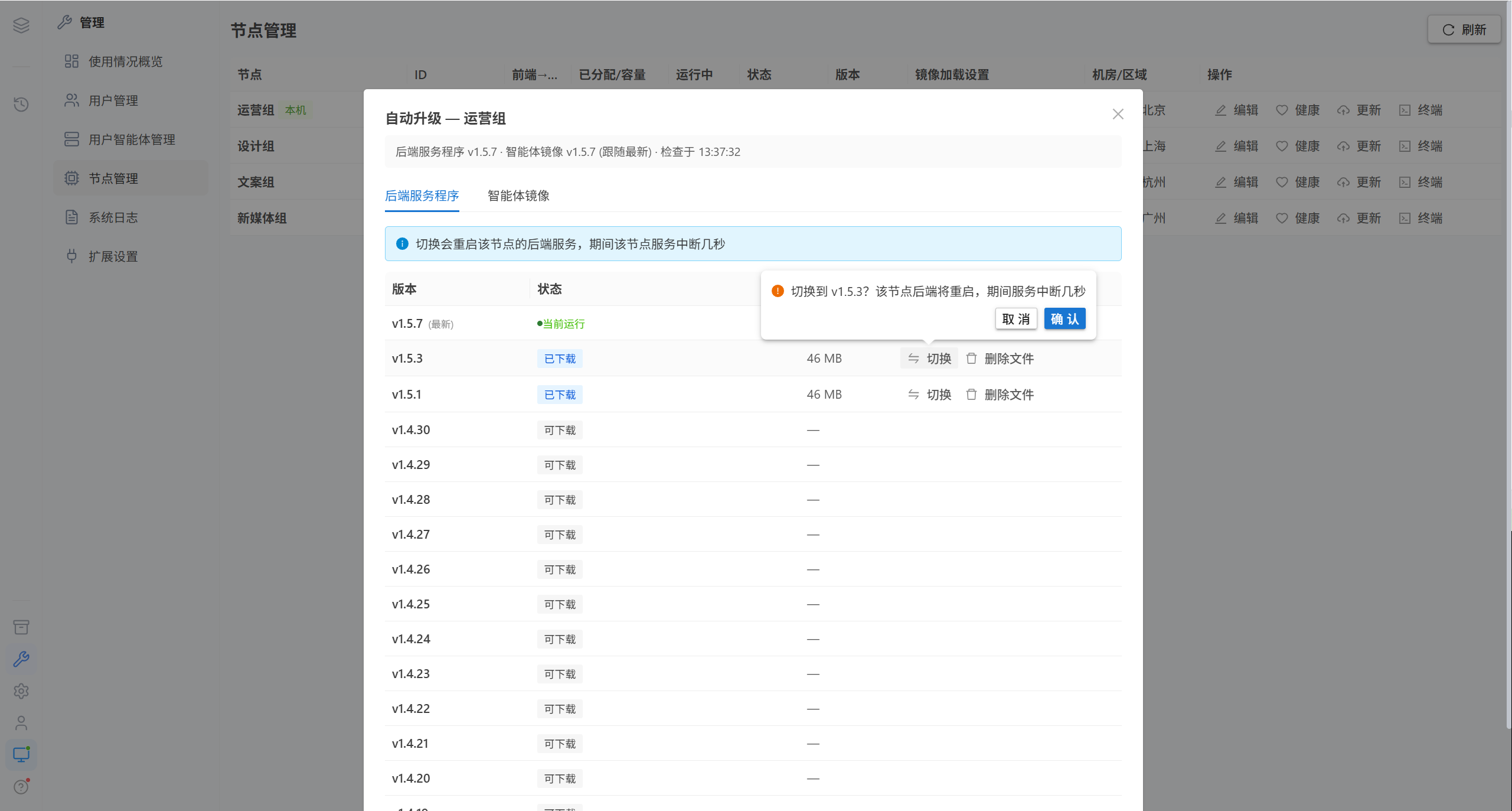
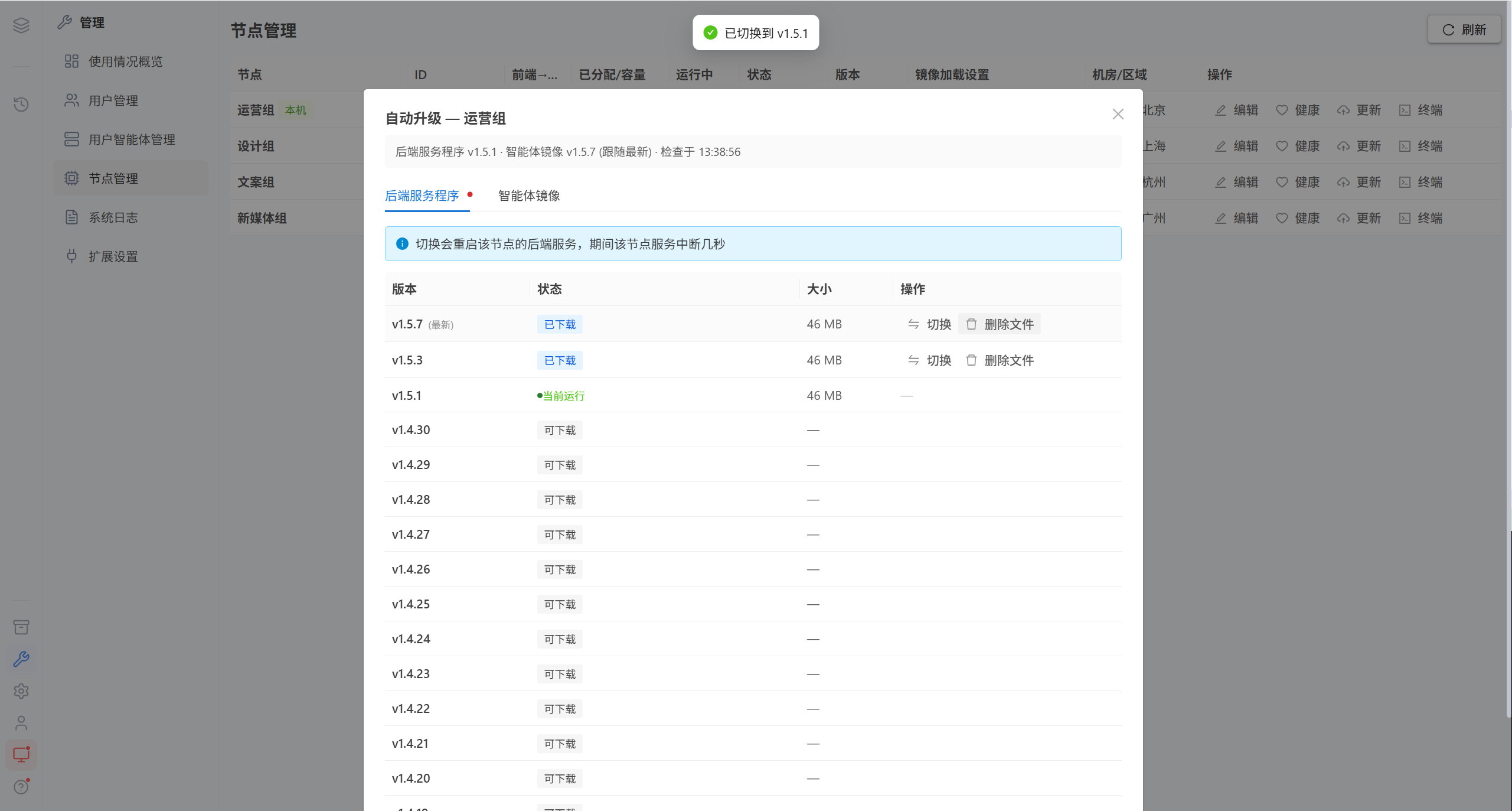
Note · Switching backend versions restarts the backend service of that node; the service of that node is interrupted for a few seconds, and the users on that node have to sign in again.
Delete versions
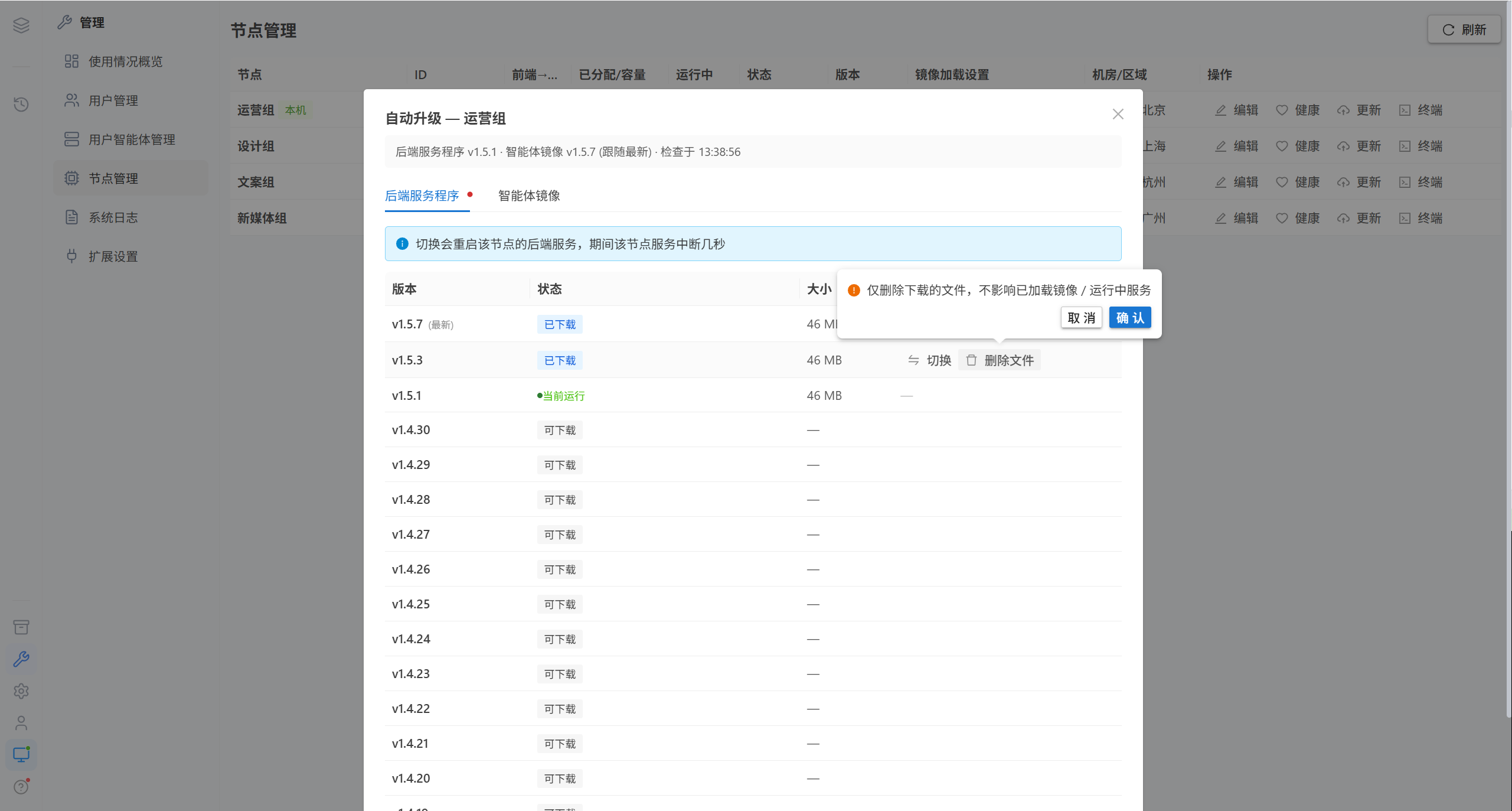
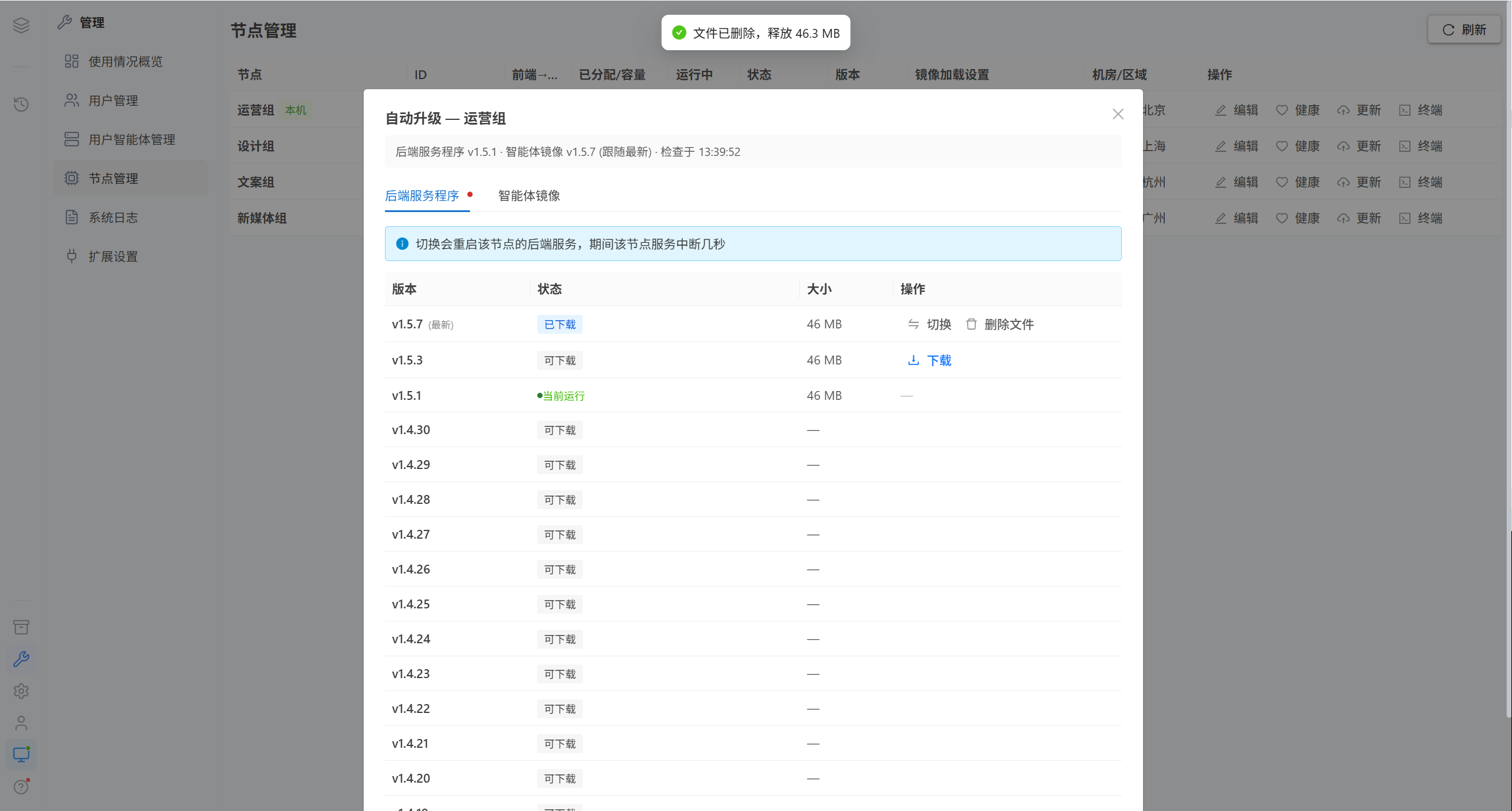
| Deletion type | Impact |
|---|---|
| Delete files | Only deletes the downloaded files; loaded images and running services are unaffected |
| Permanent delete | Removes the Docker image and the staged files together; they must be downloaded again to restore them |
3.2 Upgrade the AI Agent Image
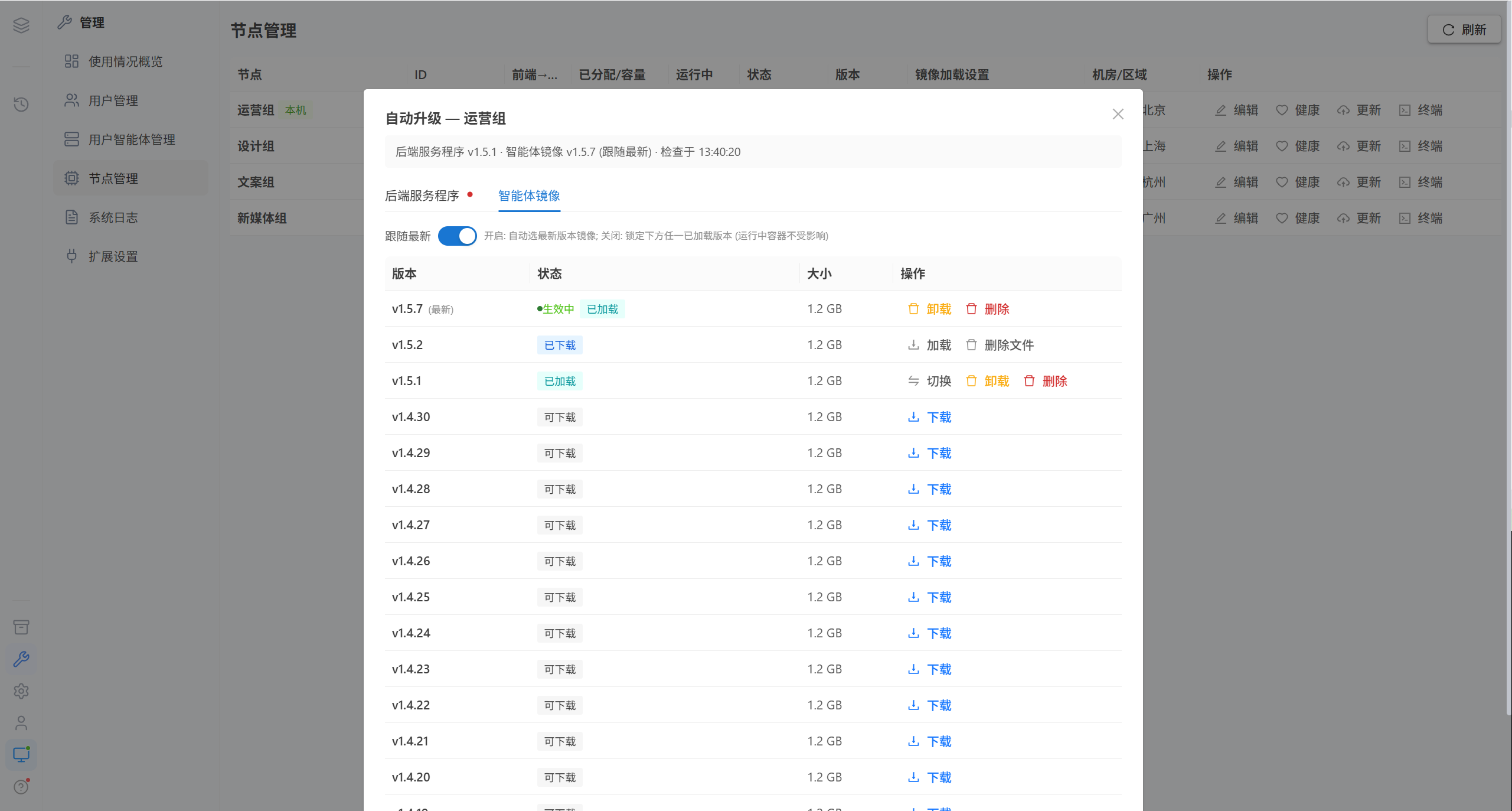
Load image
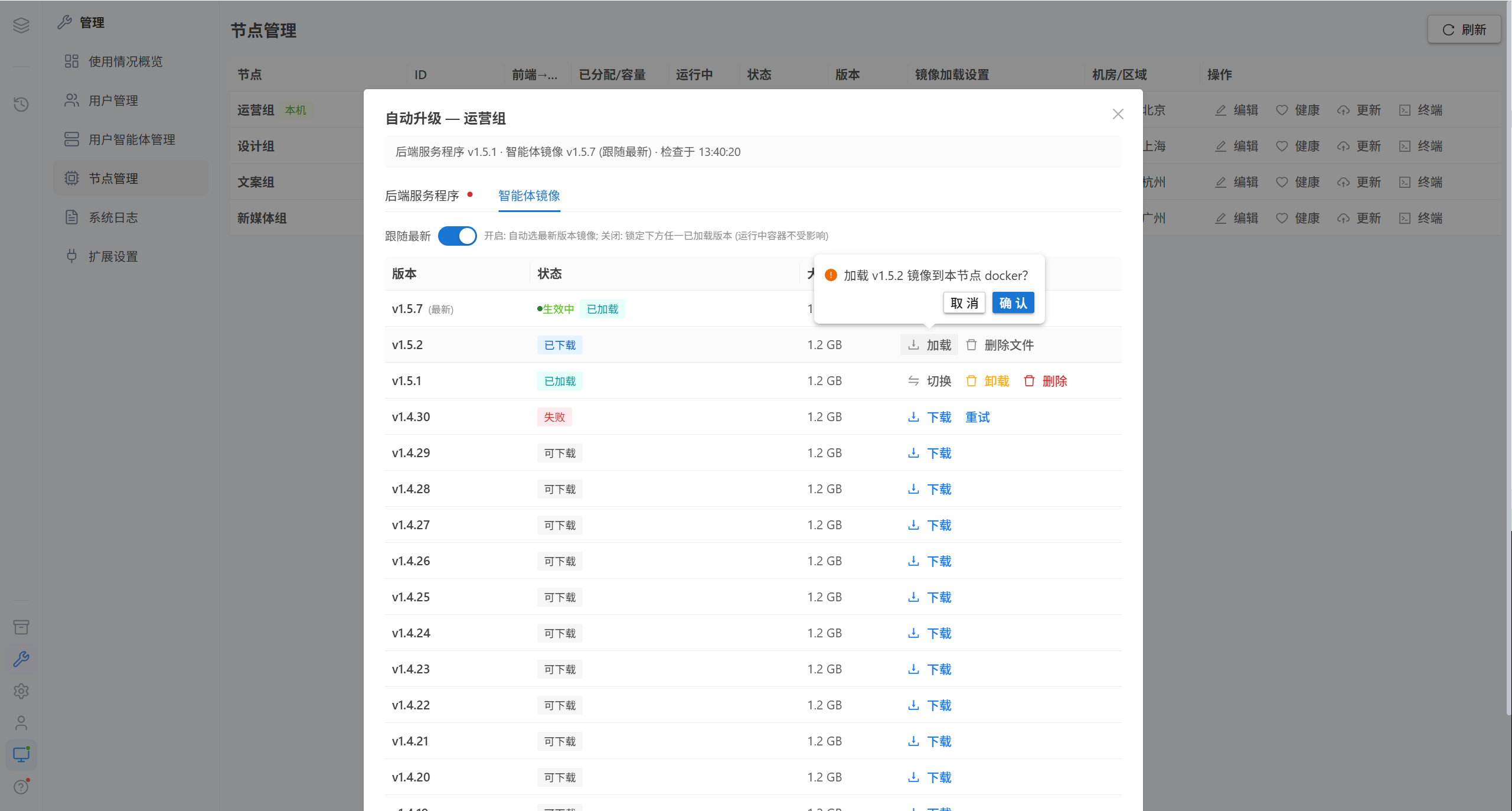
Loads the downloaded image tar into the Docker of this node.
Switch versions
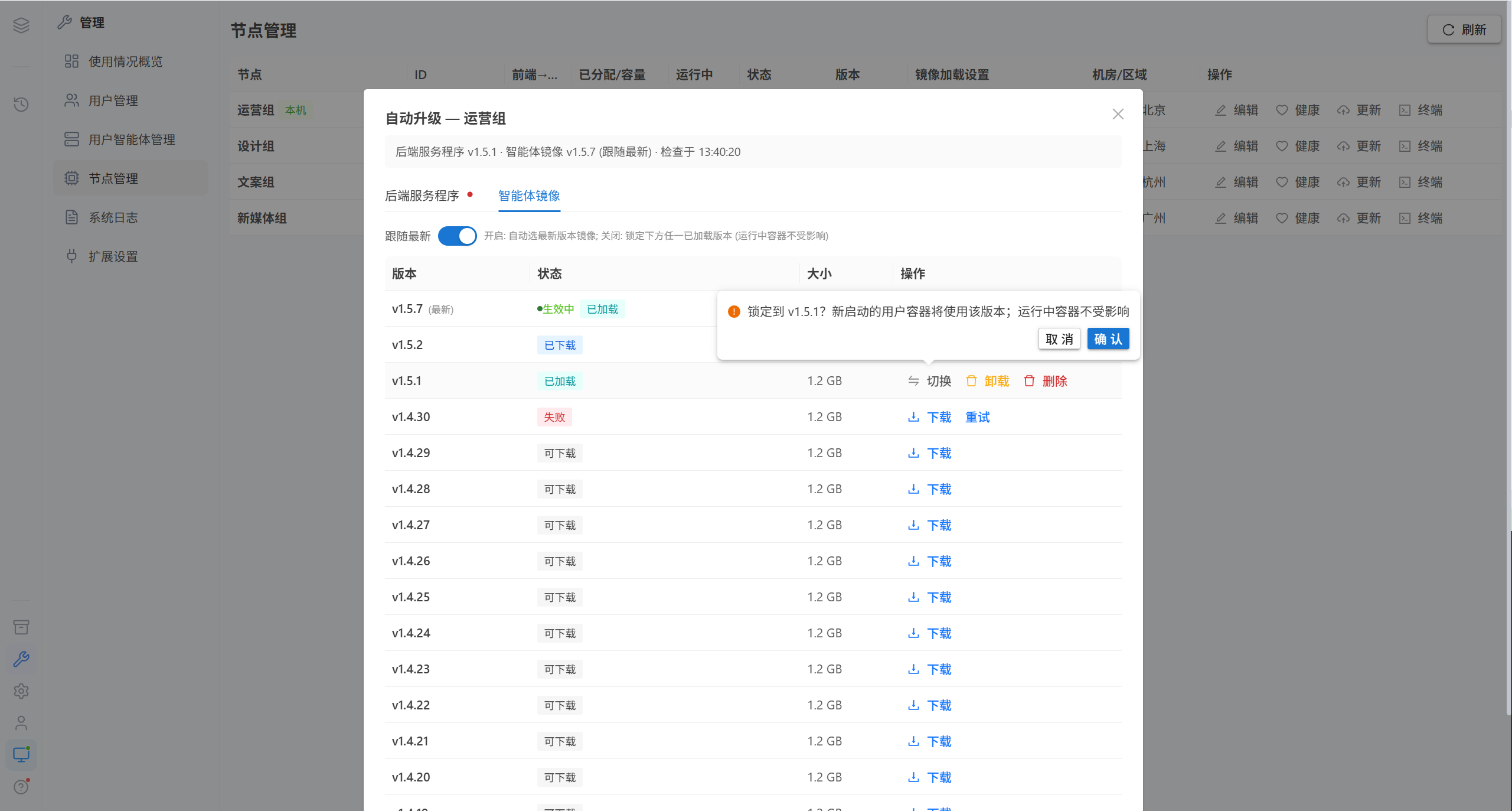
Note · Locking to a new version affects only newly started user containers; running containers are unaffected.
Unload image
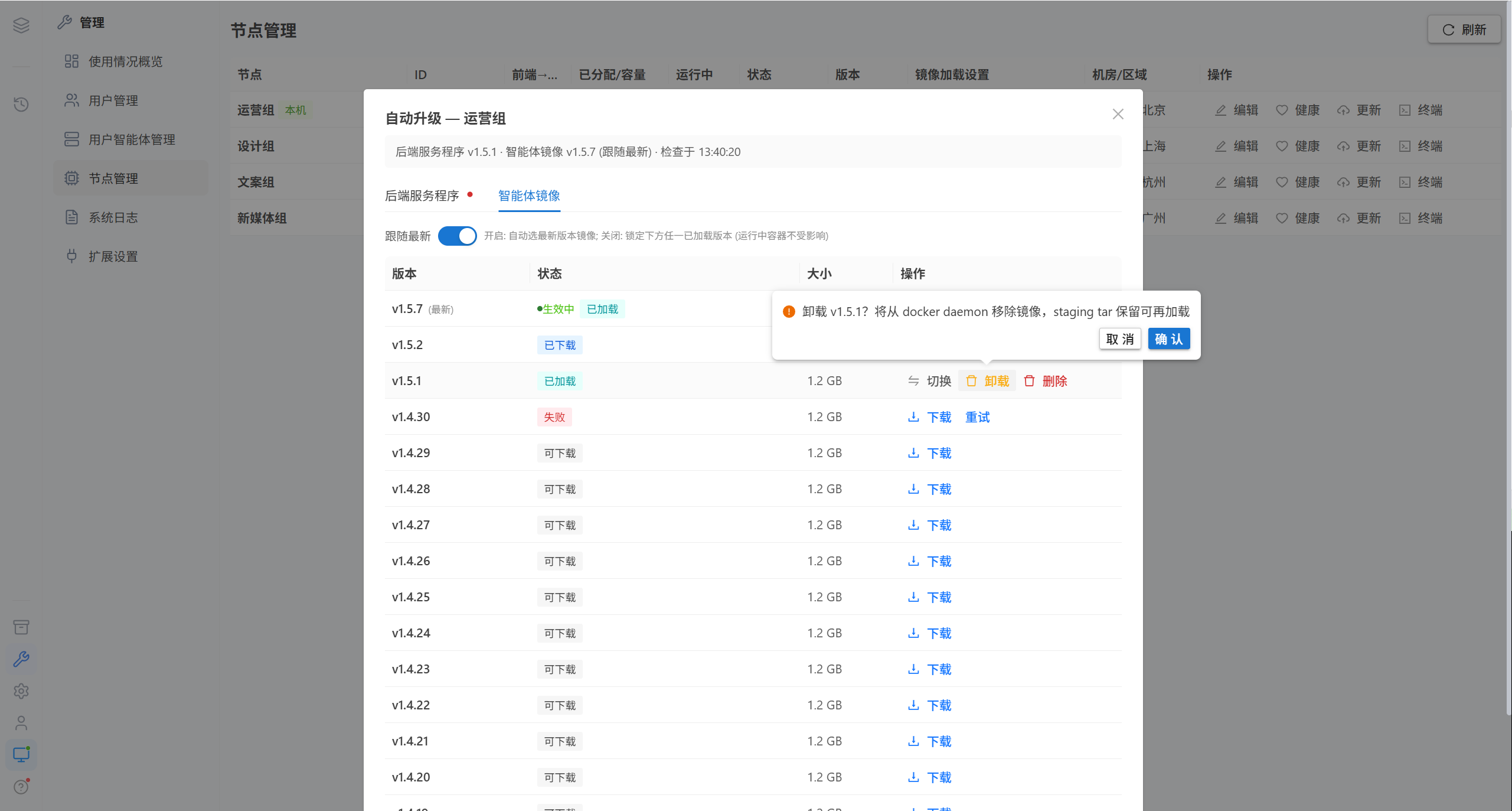
Removes the image from the Docker daemon; the staged tar is kept, and it can be loaded again.
Note · If the unloaded image is the version currently in effect, the platform first releases the lock automatically (returning to automatic mode), and new containers will use the highest remaining version.
Delete image
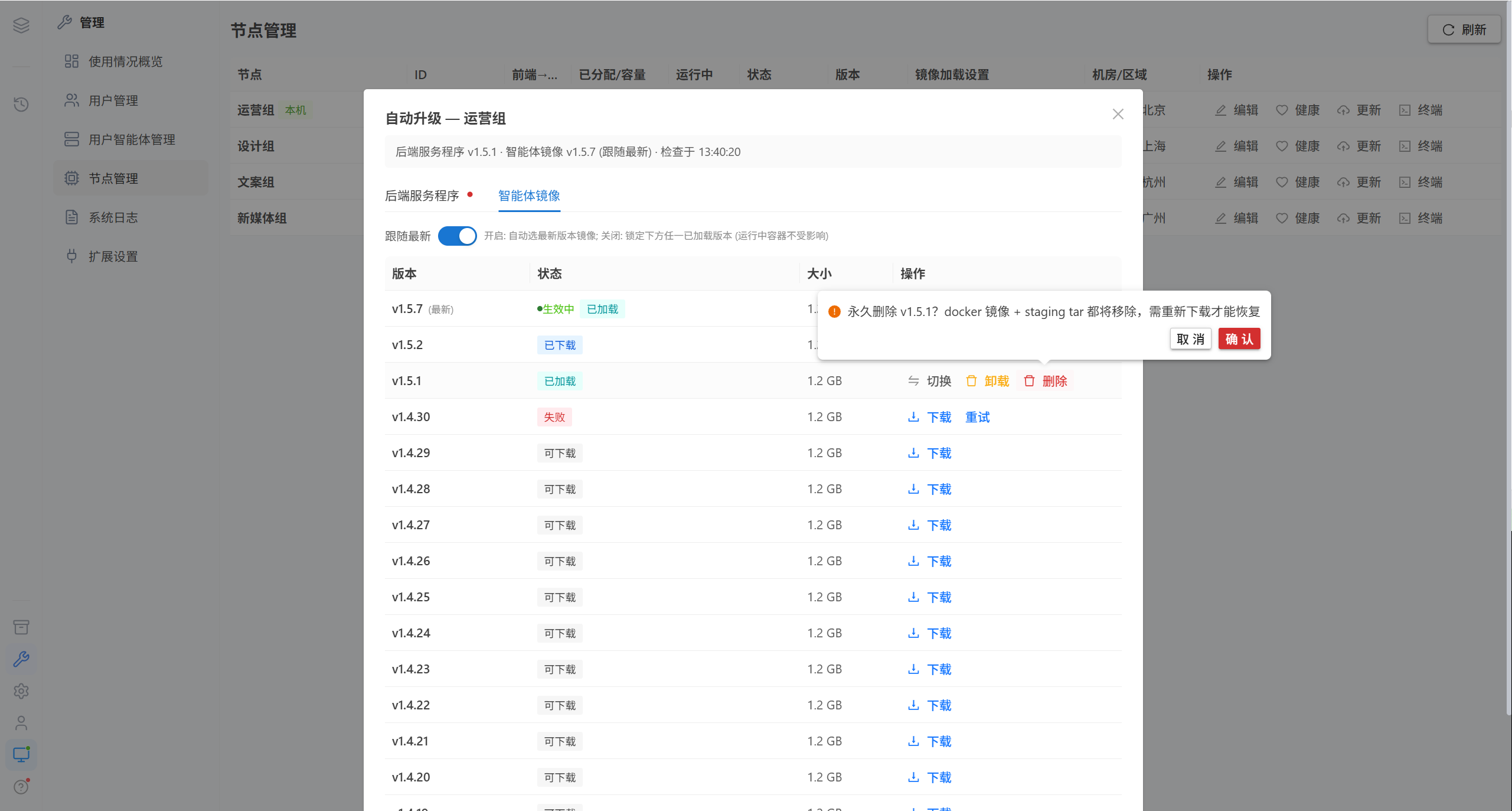
Both the Docker image and the staged tar are removed; they must be downloaded again to restore them. Likewise, deleting the version currently in effect first releases the lock automatically.
3.3 Version Status
| Status | Meaning |
|---|---|
| Downloadable | The version is on the update server and can be downloaded |
| Downloading / Downloaded | The file has been staged locally |
| Loaded / Loading | Imported into the Docker of this node |
| Unloading / Deleting | An asynchronous task is in progress |
| Currently running | In use by this node |
| In effect | The strategy is locked to this version |
| Switching | Switching in progress |
| Failed | The task failed; click "Retry" |
3.4 Rollback
If the health check fails after an upgrade, the platform automatically rolls back to the last working version and reports "Automatic rollback occurred" together with the rollback details.
4. Common Questions
| Symptom | Cause | Resolution |
|---|---|---|
| Repeated redirects during login | The frontend → backend URL is wrong | Edit the node |
| Health checks between nodes fail | The backend → backend URL is missing or unreachable | Fill in an intranet IP |
| "Image not found" | That tag does not exist on the node | Download and load it on the image page |
| The service is interrupted for a few seconds after switching versions | The backend restarts; this is expected | No action needed |
| Unloading the image fails | The Docker task is still running | Wait a moment and retry |
| The running container count does not update | The node is offline and has stopped self-reporting | Restore the node first |
| The upgrade is not possible | That upgrade is disabled in the system configuration | Check System Configuration |
| The interface behaves abnormally after an upgrade | The frontend and backend versions do not match | Upgrade both |
5. Related Pages
| Page | Content |
|---|---|
| Users & Permissions | Assigning nodes and managing user containers |
| Basic Configuration | The difference between public_base_url and the node URL |
| Multi-Node Deployment | Node registration and shared keys |