
Integration Settings
Applicable roles: Administrator
Prerequisites: A Git server is ready (GitLab / Gitea / GitHub, etc.)
This guide covers two things: registering repositories (so that the platform knows which repositories can be imported) and configuring credentials (so that the platform can access those repositories).
1. Git Repository Management
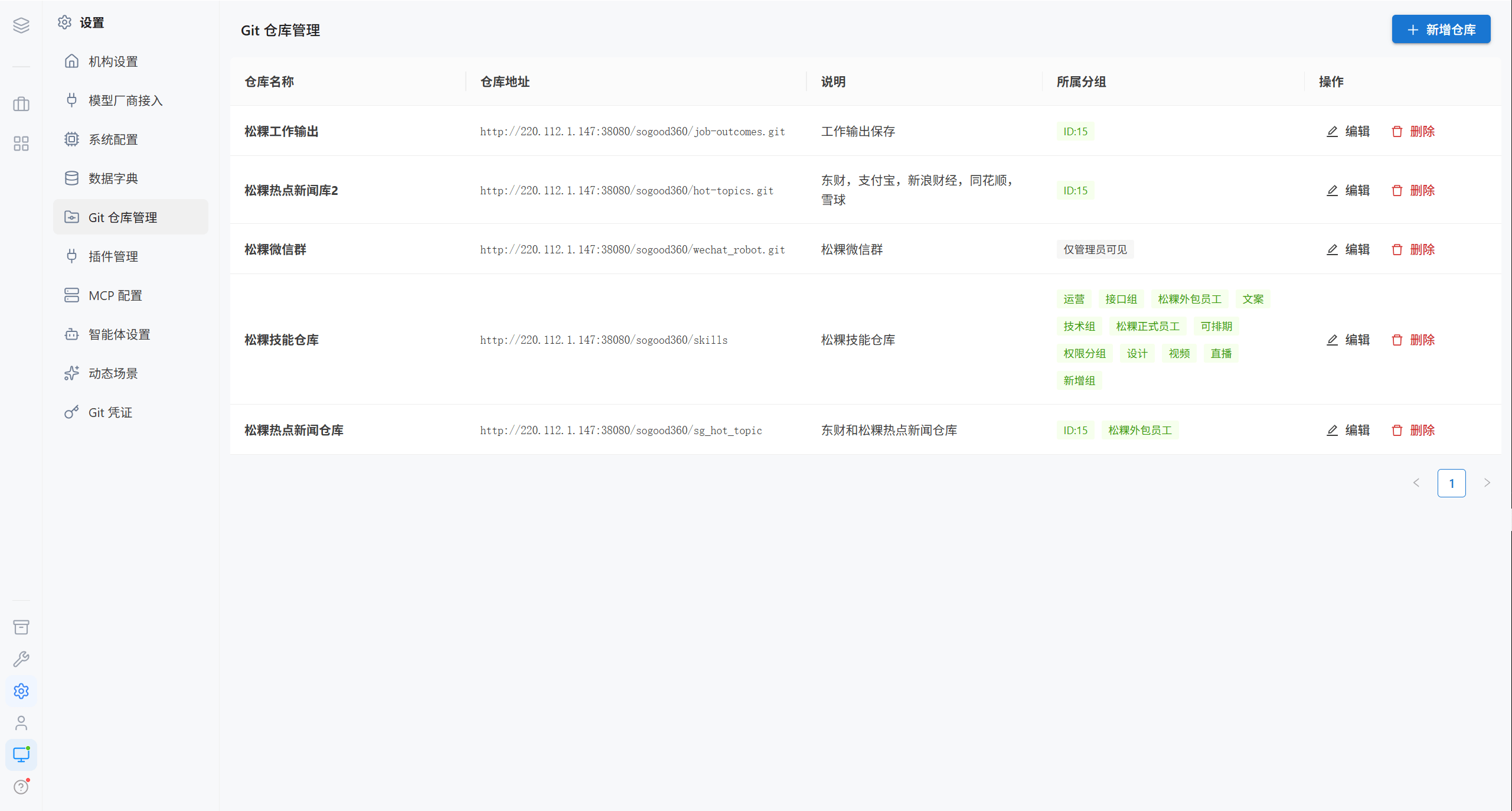
| Column | Description |
|---|---|
| Repository name | Display name |
| Repository address | Git repository URL |
| Description | Notes |
| Owning group | Which groups can see this repository |
| Actions | Edit, delete |
Note · "Git Repository Management" is the global repository catalog. When a user clicks "Import Repository" in their own workspace, they can directly select a repository registered here, or enter an address manually.
1.1 Add a Repository
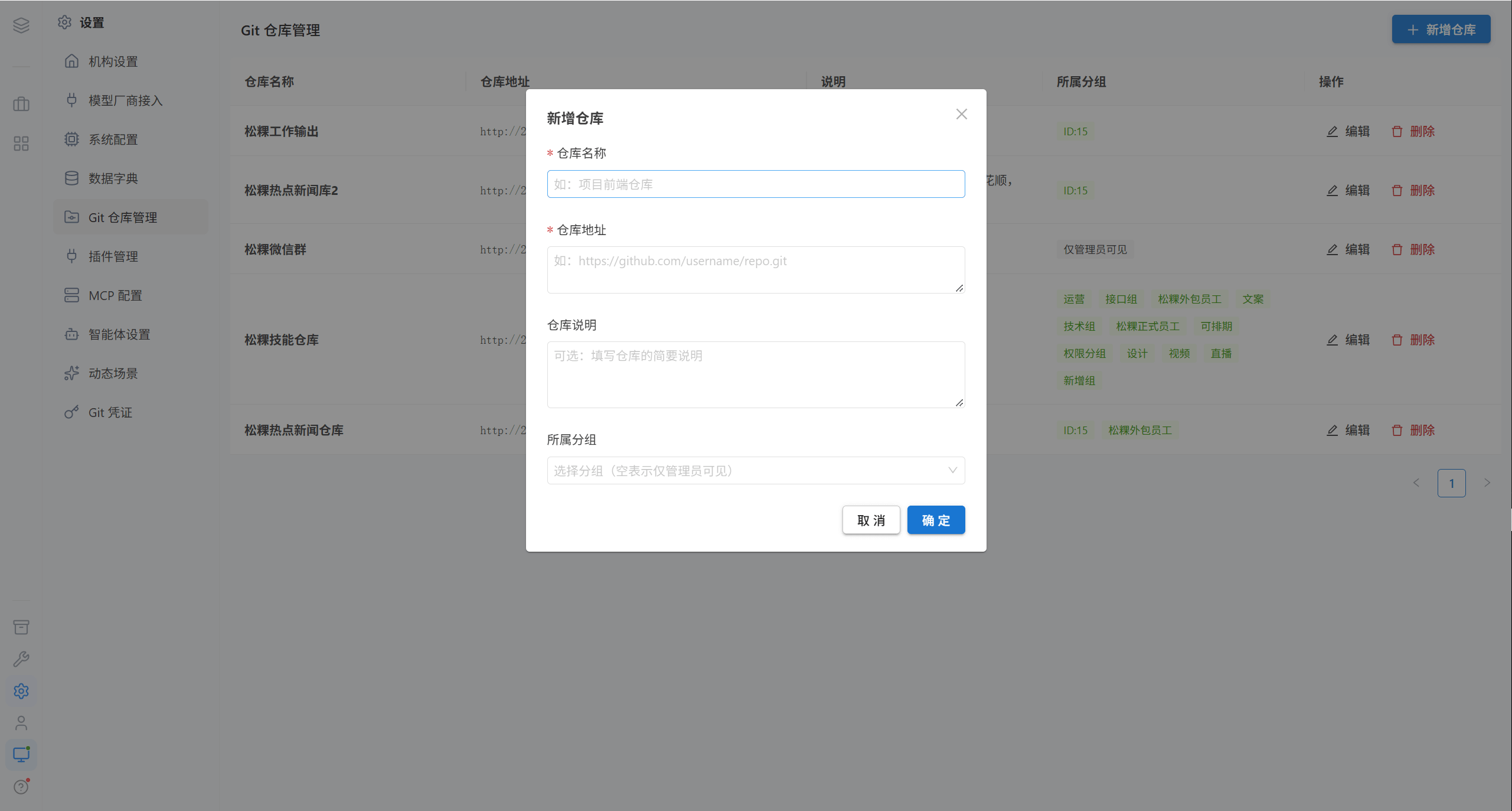
| Field | Required | Limit | Description |
|---|---|---|---|
| Repository name | ✅ | ≤ 100 characters | e.g. "Project Frontend Repository" |
| Repository address | ✅ | ≤ 500 characters | e.g. https://github.com/username/repo.git |
| Repository description | ❌ | ≤ 500 characters | Brief description |
| Owning group | ❌ | — | Leaving it blank = visible to administrators only |
1.2 Edit a Repository
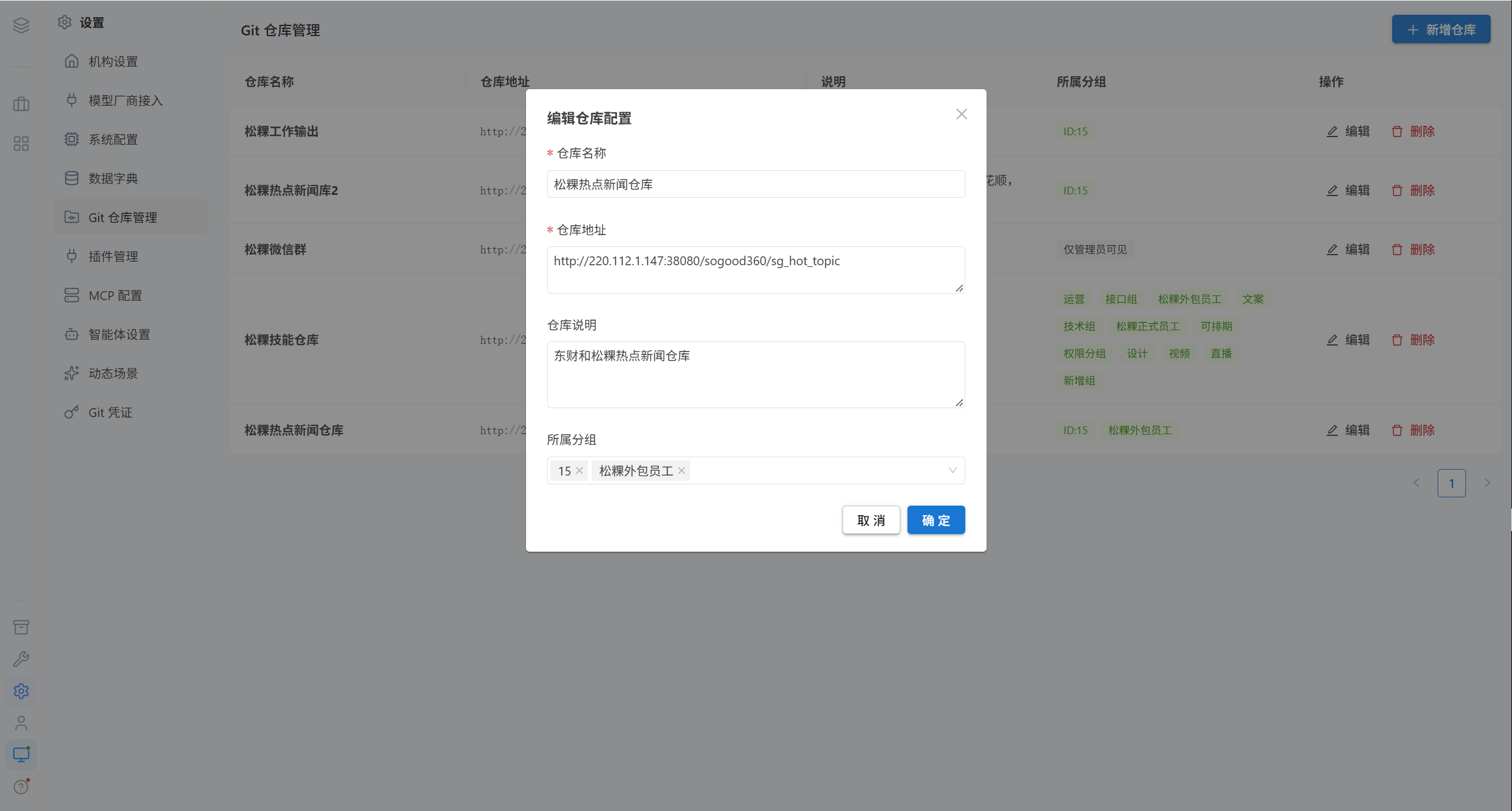
1.3 Delete a Repository
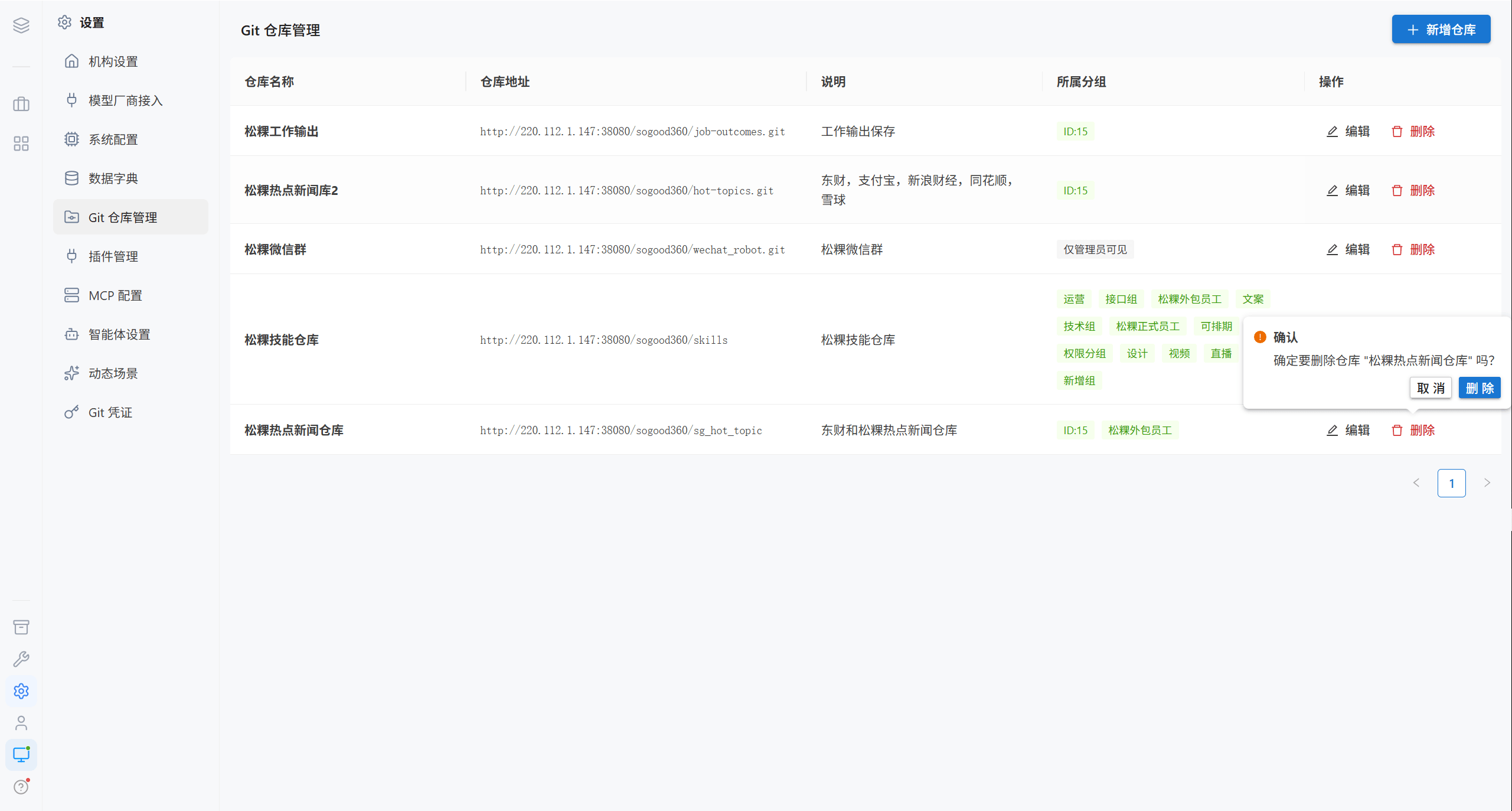
Note · What gets deleted is the repository registration entry; the actual repository on the Git server is not deleted, and copies that users have already cloned into their workspaces are unaffected.
2. Git Credentials
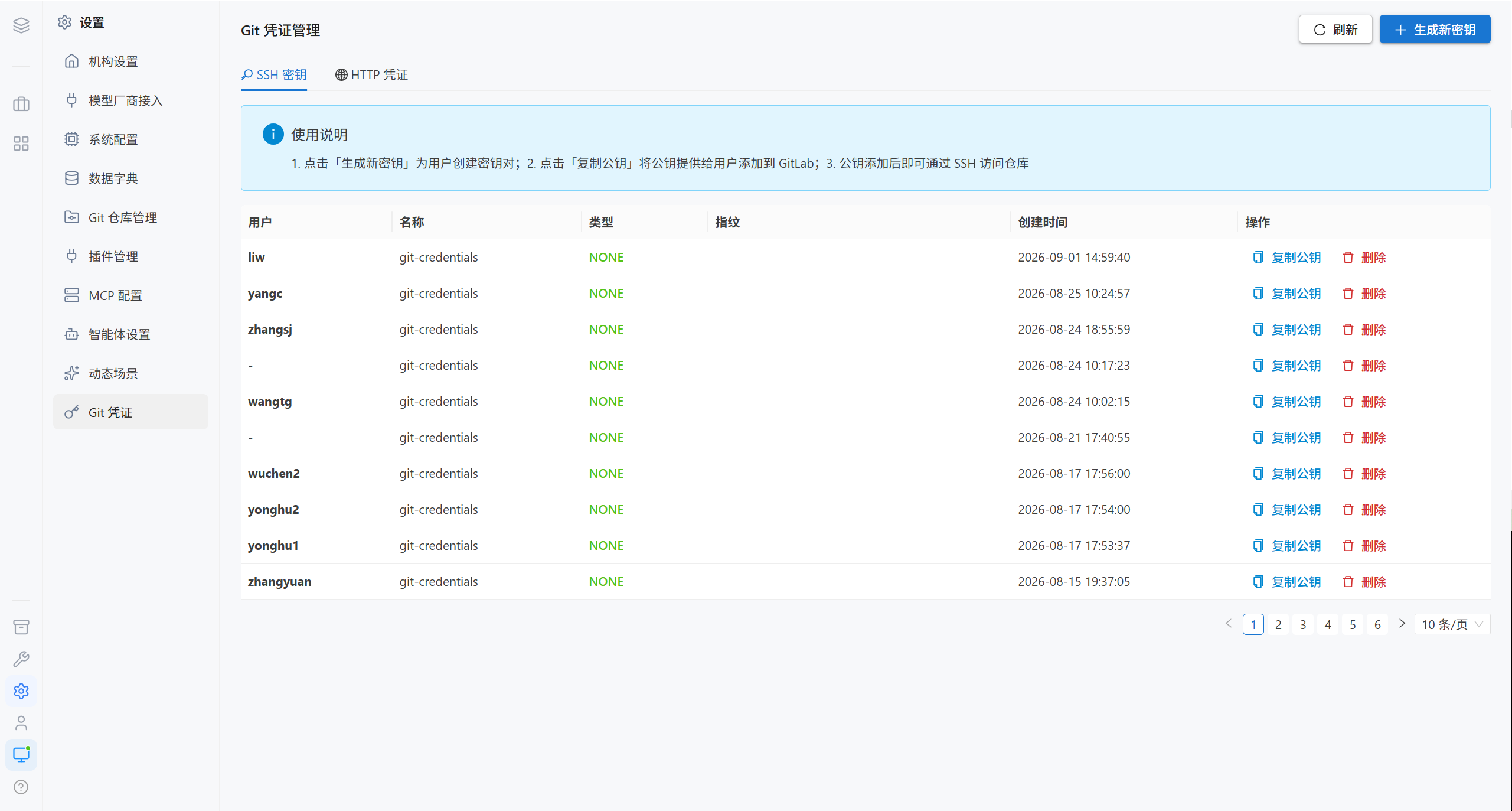
Credential management has two tabs: SSH Keys and HTTP Credentials.
2.1 SSH Keys
| Column | Description |
|---|---|
| User | The user the key belongs to |
| Name | Key name, e.g. gitlab_key |
| Type | ed25519 / rsa |
| Fingerprint | Key fingerprint, used for verification |
| Creation time | — |
| Actions | Copy public key, delete |
Generate a new key
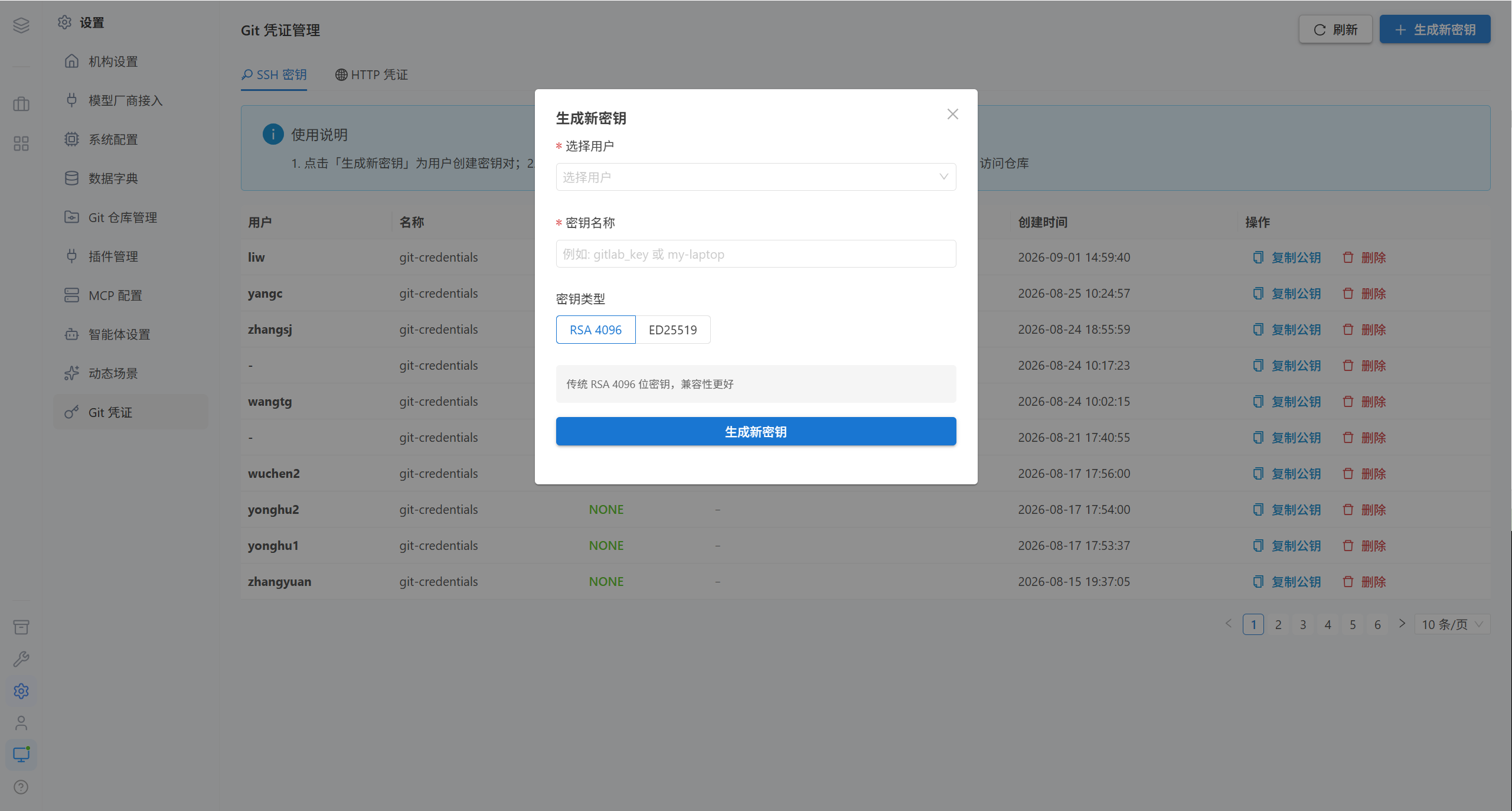
| Field | Description |
|---|---|
| User | Owner of the key |
| Key name | May contain only letters, digits, underscores, and hyphens |
| Key type | ed25519 (recommended, better security and performance) / rsa (4096 bits, better compatibility) |
Usage flow:
- Click "Generate new key", and the platform creates a key pair for that user
- Click "Copy public key", and provide the public key content to the user
- The user adds the public key to the SSH Keys settings in GitLab
- Once the public key has been added, the repository can be accessed over SSH
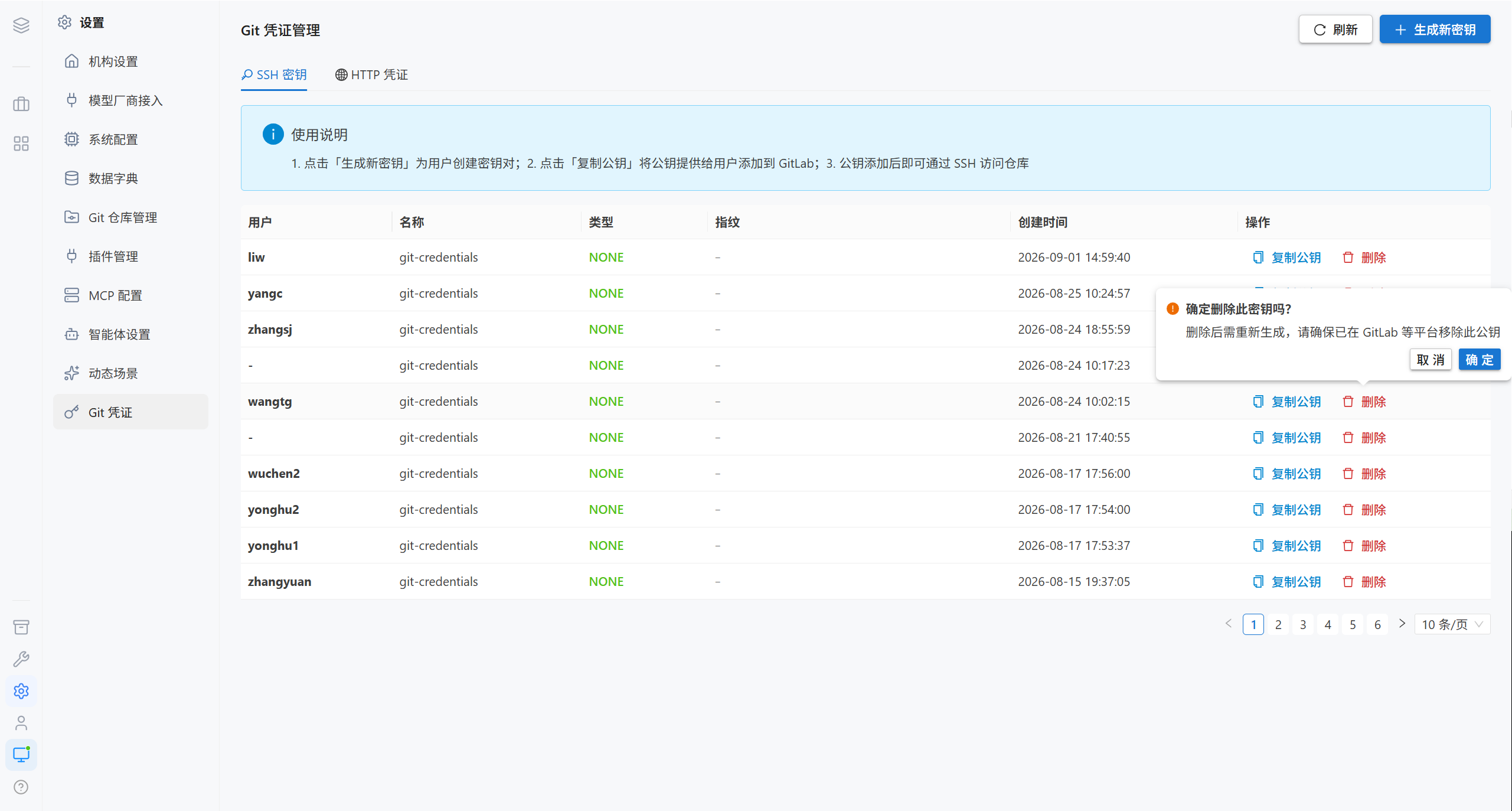
Note · The private key is encrypted and stored in the database, and the platform never shows the private key in plaintext in any interface. After a key is deleted it must be regenerated, so make sure the corresponding public key has been removed from GitLab and other platforms.
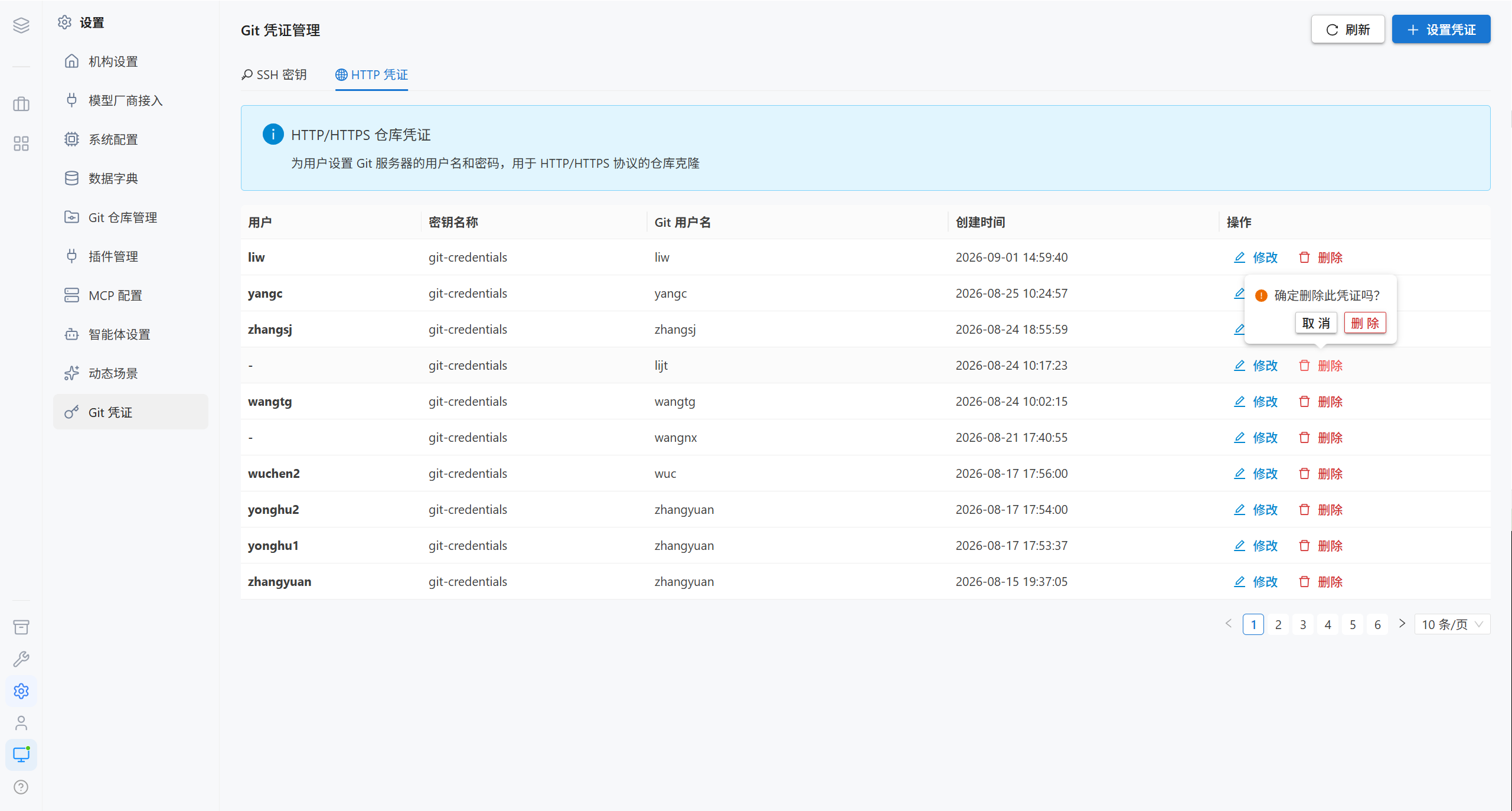
2.2 HTTP Credentials
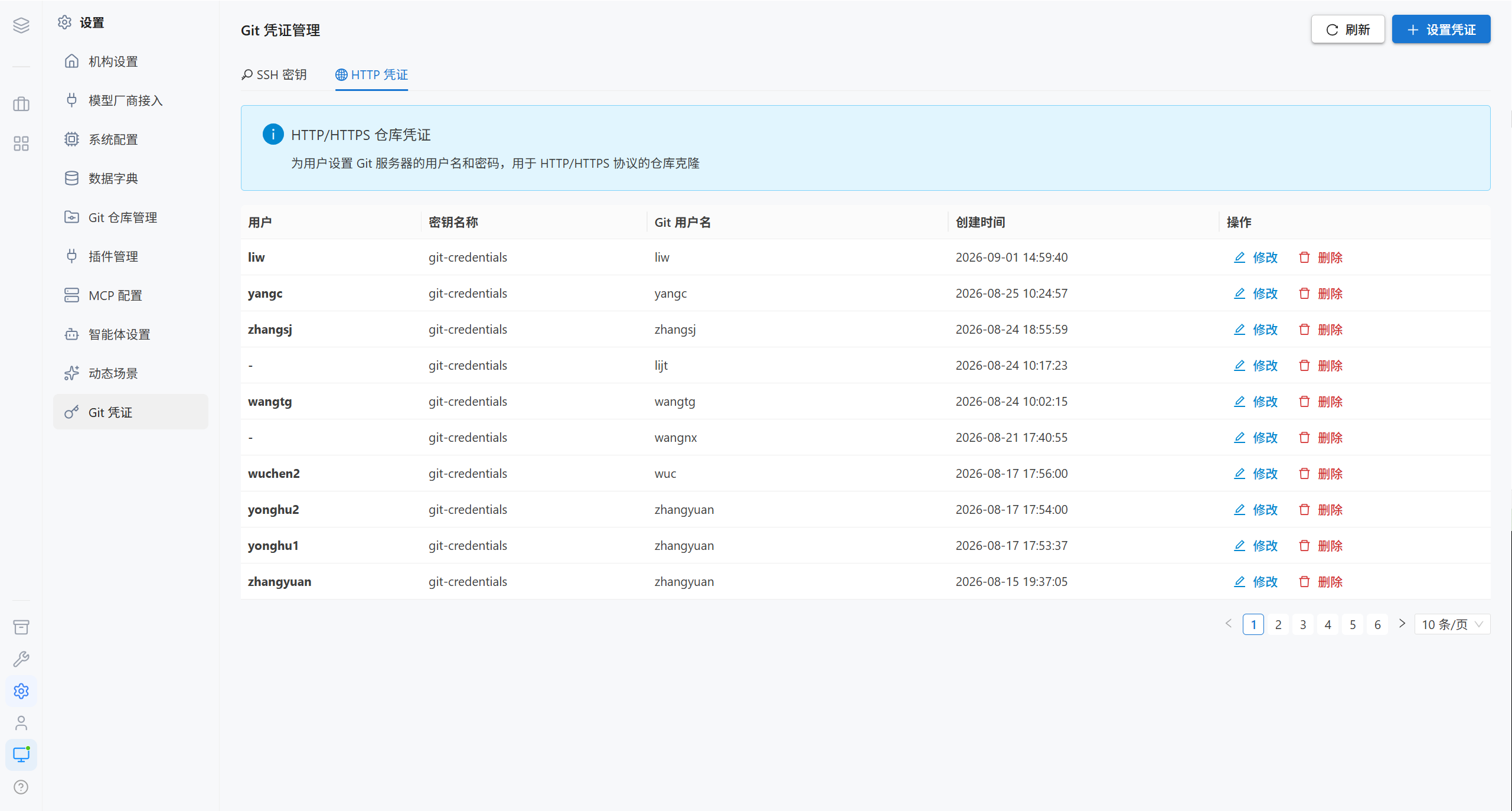
Set up credentials
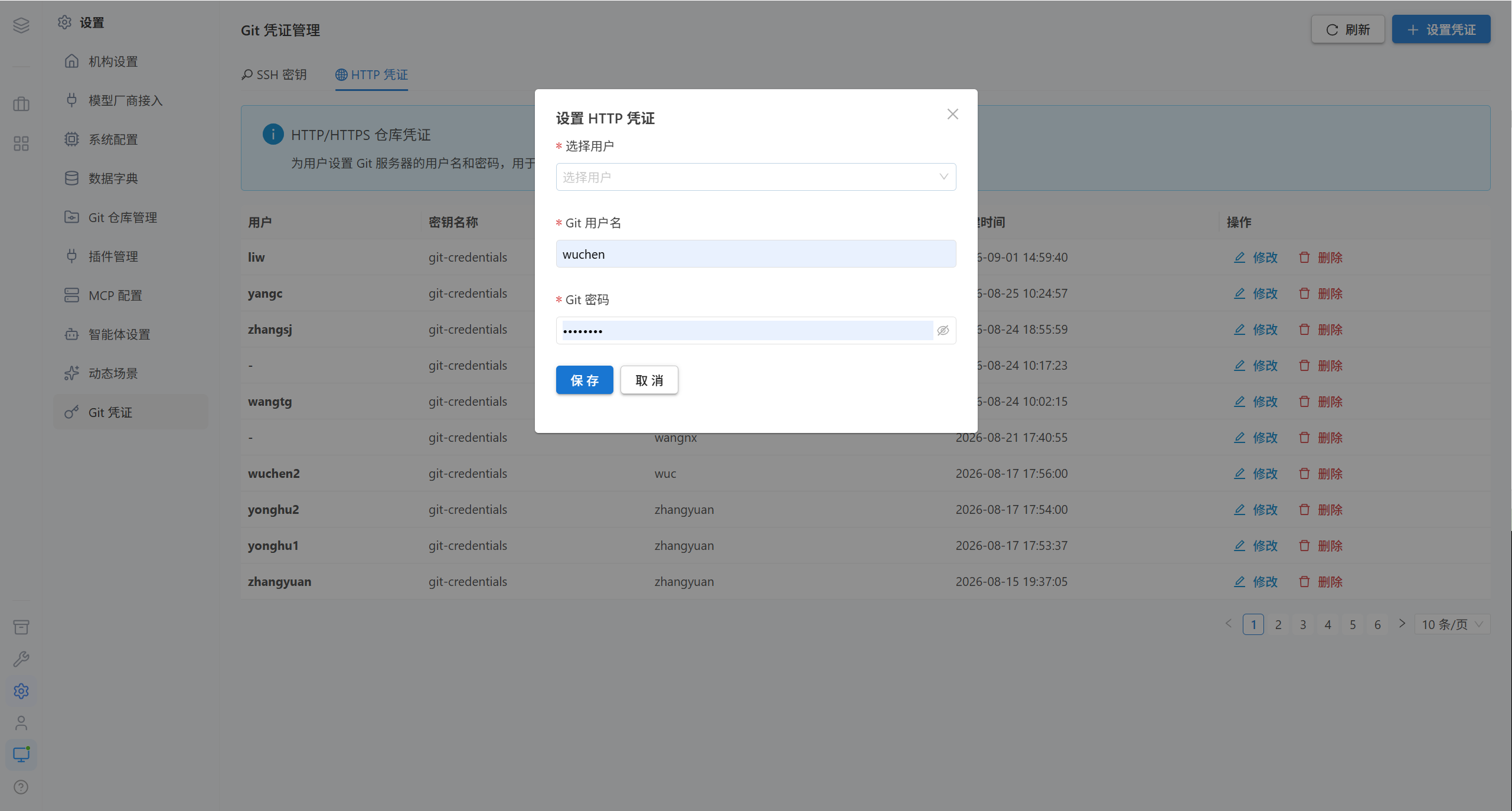
| Field | Required | Description |
|---|---|---|
| User | ✅ | The user the credentials belong to |
| Git username | ✅ | Git server username |
| Git password | ✅ | Password or access token |
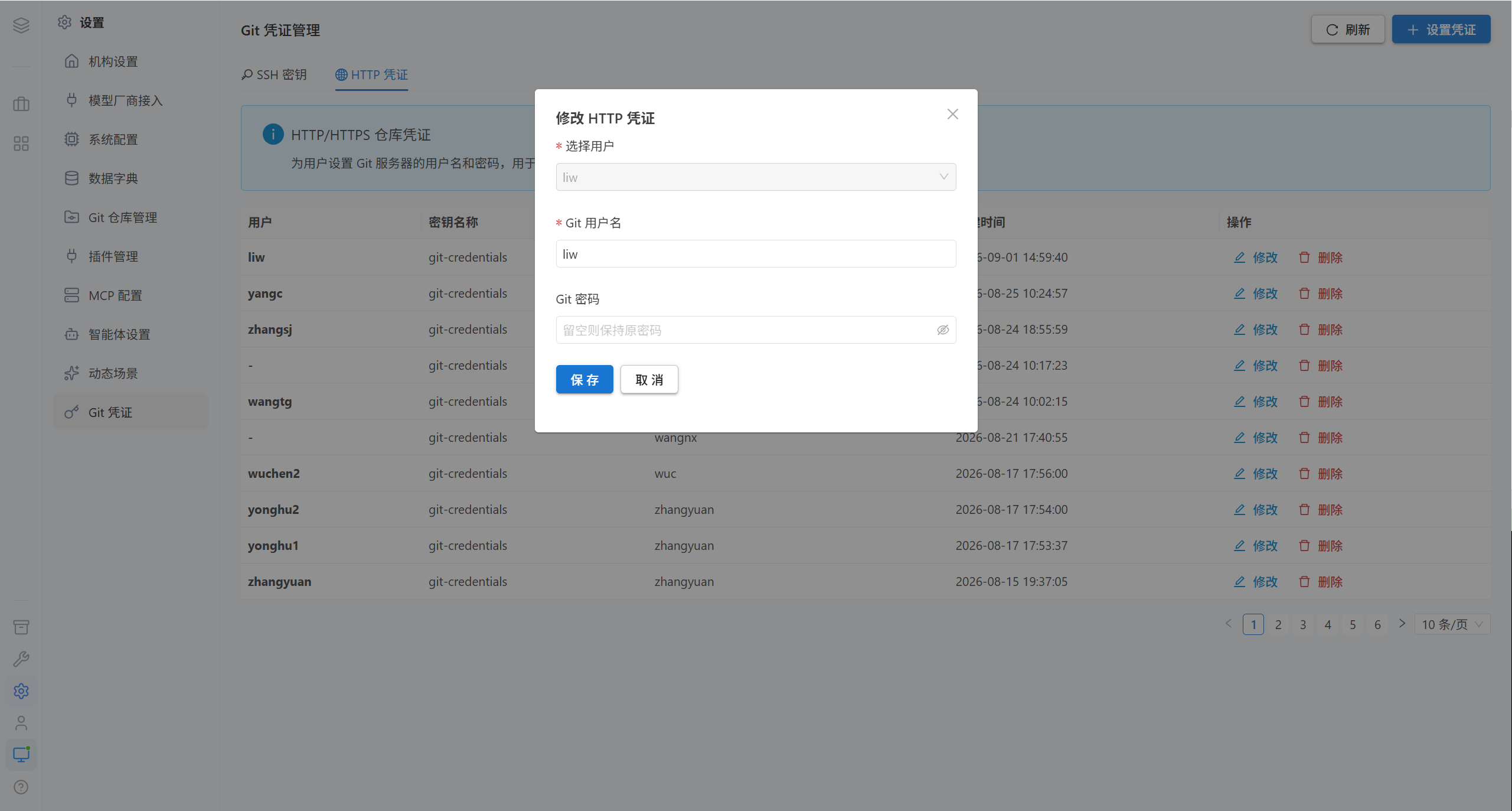
Note · When modifying, leaving the field blank keeps the original password unchanged.
2.3 Which One to Choose
| Protocol | Which to use | Where to configure it |
|---|---|---|
git@host:group/repo.git | SSH key | GitLab → Settings → SSH Keys |
https://host/group/repo | HTTP credentials | GitLab → Settings → Access Tokens |
Tip · On some Git servers, HTTP credentials require an access token rather than a login password, and usually need the
read_repository/write_repositoryscopes.
3. FAQ
| Symptom | Cause | Resolution |
|---|---|---|
| Importing a repository reports an authentication failure | No credentials are configured, or the owner of the credentials differs from the person performing the operation | Configure credentials for that user |
| The repository cannot be seen | No group was assigned, or the group is empty (visible to administrators only) | Edit repository |
| The key cannot be deleted | It may still be in use by some repository | Confirm the reference relationships first |
| SSH keeps asking for a password | The public key was not added to GitLab | Complete step 3 of the "Usage flow" |
| Changes to the HTTP credentials do not take effect | Leaving it blank keeps the original password | A new password must be entered to overwrite it |
| Importing a repository reports that the file already exists | A file with the same name exists in the target directory | Choose to overwrite or skip |
4. Related Pages
| Page | Contents |
|---|---|
| Assets | Set a repository as a Skill library / key documents library |
| Workspace · Import Repository | Importing on the user side |
| Foundation Settings | Organization, system parameters, data dictionary |